
Keep your config tool. Govern how it gets in.
Dedicated NCCM tools audit against formal baselines and orchestrate firmware at a depth MisterShell doesn't match — so keep the one you run. But it reaches every device on a standing path nobody records or approves. Point it at MisterShell and that path becomes governed, alongside config tracking and a drift→detect→remediate loop of MisterShell's own.
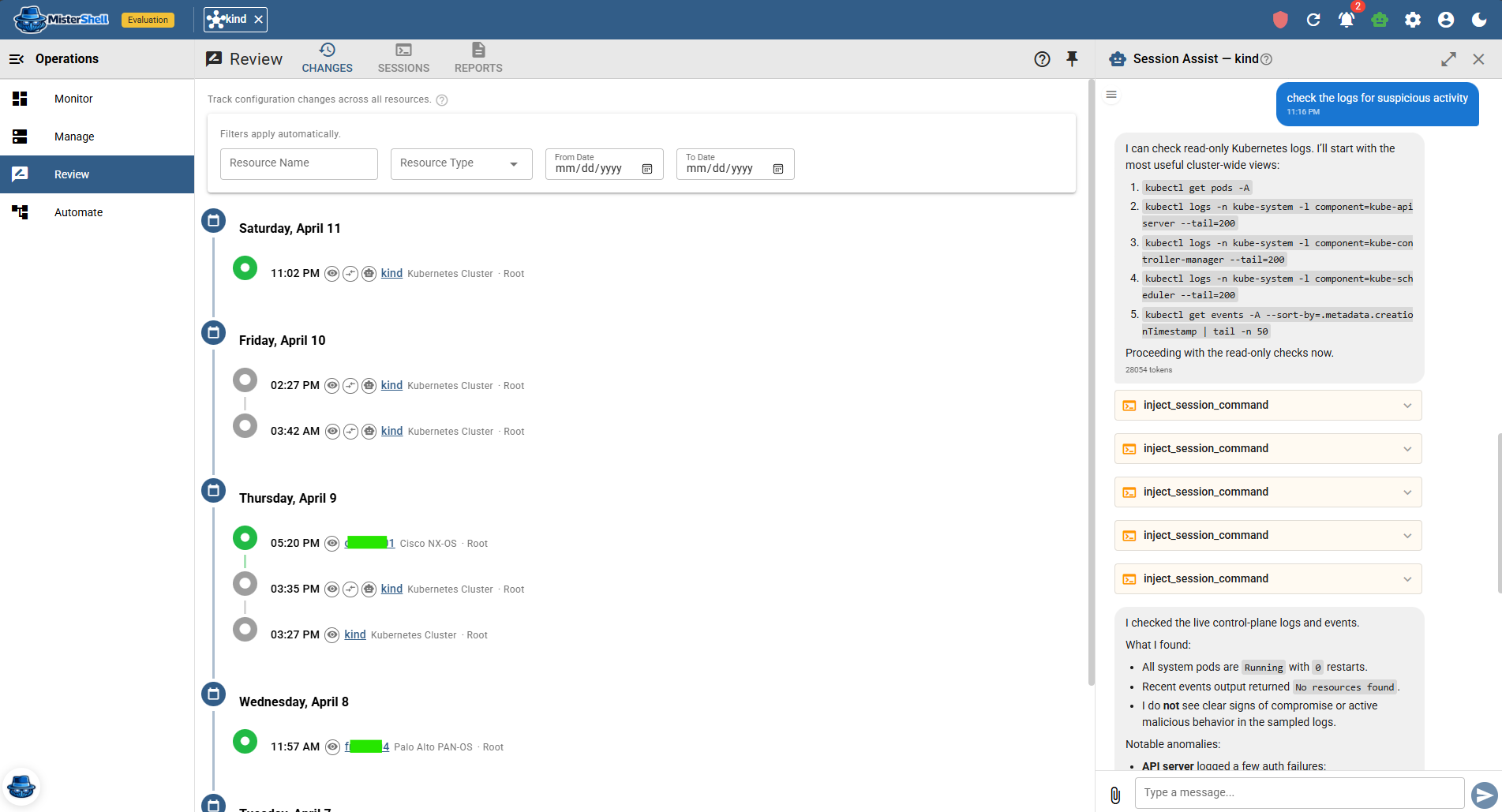
Config visibility where the work happens
MisterShell captures configuration snapshots with structured diffs and a timestamped changelog — tied to the session and the person that produced the change — in the same place you reach the device. Around it: browser SSH to the multi-vendor estate, operational facts (interfaces, neighbors, VLANs, routing and more), per-metric health history, and in-session AI that can explain a diff. Fact Policy turns those facts into continuous checks — assert that NTP stays synchronized or that an expected route is present across the fleet, and a check can reason across related facts, such as a default route inside a given VRF. Verdicts land in a fleet Compliance timeline that keeps the definition and result as they stood at evaluation time, with an alert the moment a device drifts. And you can close the loop: author configuration as reusable templates, and let automation push the fix when a check fails — snapshot, assess, remediate — pausing for a human Approve step before the push if you want one, with every push recorded and raised as an event your automation can act on. Because the push is vendor-agnostic templated CLI, that loop works across configuration-capable resource types — not one vendor's gear. The pieces behind it — config policy, fact policy, and playbooks — ship with the Enterprise edition. It's not a turnkey config-baseline suite with canned CIS/PCI libraries or firmware orchestration; it's a drift-to-fix loop you compose once and apply estate-wide, where the work already happens.
The config tool is itself an ungoverned path
Whatever it does with the configuration, look at how it gets there. An NCCM tool holds privileged credentials for every device in the estate — often enable-level, and in the open-source tooling frequently in a plaintext file beside the config — keeps a standing network path to all of them, and connects unattended on a schedule. None of that is recorded, no policy decides what it may run, nobody approves it, and because it authenticates as a service account its access quietly outlives the engineer who set it up. It is usually the single most privileged, least governed thing on the network, and it is invisible in the access review precisely because it is not a person. A config tool also only speaks to network devices — not the servers, clusters, cloud accounts and databases where drift also lives — so it sits beside your access tooling and your monitoring, sharing no context with either.
The essentials, in one platform
Remote workers, enterprise sign-in, high availability, and audit export to your SIEM come with the Pro edition; policy engines, session recording, and automation ship with Enterprise; IDS, syslog collection, and external access are licensed add-ons.
When a dedicated NCCM tool still earns its place
A dedicated NCCM tool — SolarWinds NCM, ManageEngine, BackBox, or open-source Oxidized and RANCID — earns its place when network configuration management is a program of its own: turnkey compliance engines auditing against CIS, PCI, and NIST baselines out of the box, golden-config drift libraries, and firmware or OS-upgrade orchestration across a large estate. That depth is purpose-built for network config, and MisterShell does not try to replace it. The two fit together the other way round: keep the NCCM program, route its connections through MisterShell so the estate's most privileged scheduled job runs under the same policy and record as your engineers, and let MisterShell reach the servers, clusters, cloud accounts and databases those tools were never meant to cover.
Start with MisterShell when
- The scheduled job that reaches every device should run under the same policy, recording and audit as your engineers — whether it stays your NCCM tool or not
- You want configuration change tracking tied to who made the change, integrated with live access
- You want to author and push templated config to many devices — and close a drift→detect→remediate loop automation runs for you
- You need that loop to be vendor-agnostic across your configuration-capable resources — not locked to one vendor's gear
- Operational facts (interfaces, neighbors, VLANs, routing and more), device health, and in-session AI in the same workspace are valuable
- You continuously verify operational state — NTP sync, or key routes present across the fleet — and want the fix pushed when a device drifts
- You would rather not run config tracking separately from the tool you use to reach devices
Add a dedicated NCCM when
- You need a turnkey compliance policy engine auditing configurations against formal baselines (CIS, PCI, NIST) out of the box
- You want purpose-built, network-specific standardization and golden-config remediation libraries out of the box, rather than templates and playbooks you author yourself
- Firmware or OS upgrade orchestration across a large estate is in scope
- Config management is a standalone program, independent of how engineers reach devices
Comparison reflects publicly available information as of September 2026. Verify current capabilities with each vendor.
Get in Touch
Want a guided demo, or a trial license to evaluate Pro or Enterprise on your own infrastructure? Tell us — we'd love to hear from you.