
Keep your terminal. Lose the sprawl.
Point the client you already like at MisterShell and work exactly as you do today — while the team finally gets one place that decides who may reach what, and keeps the record.
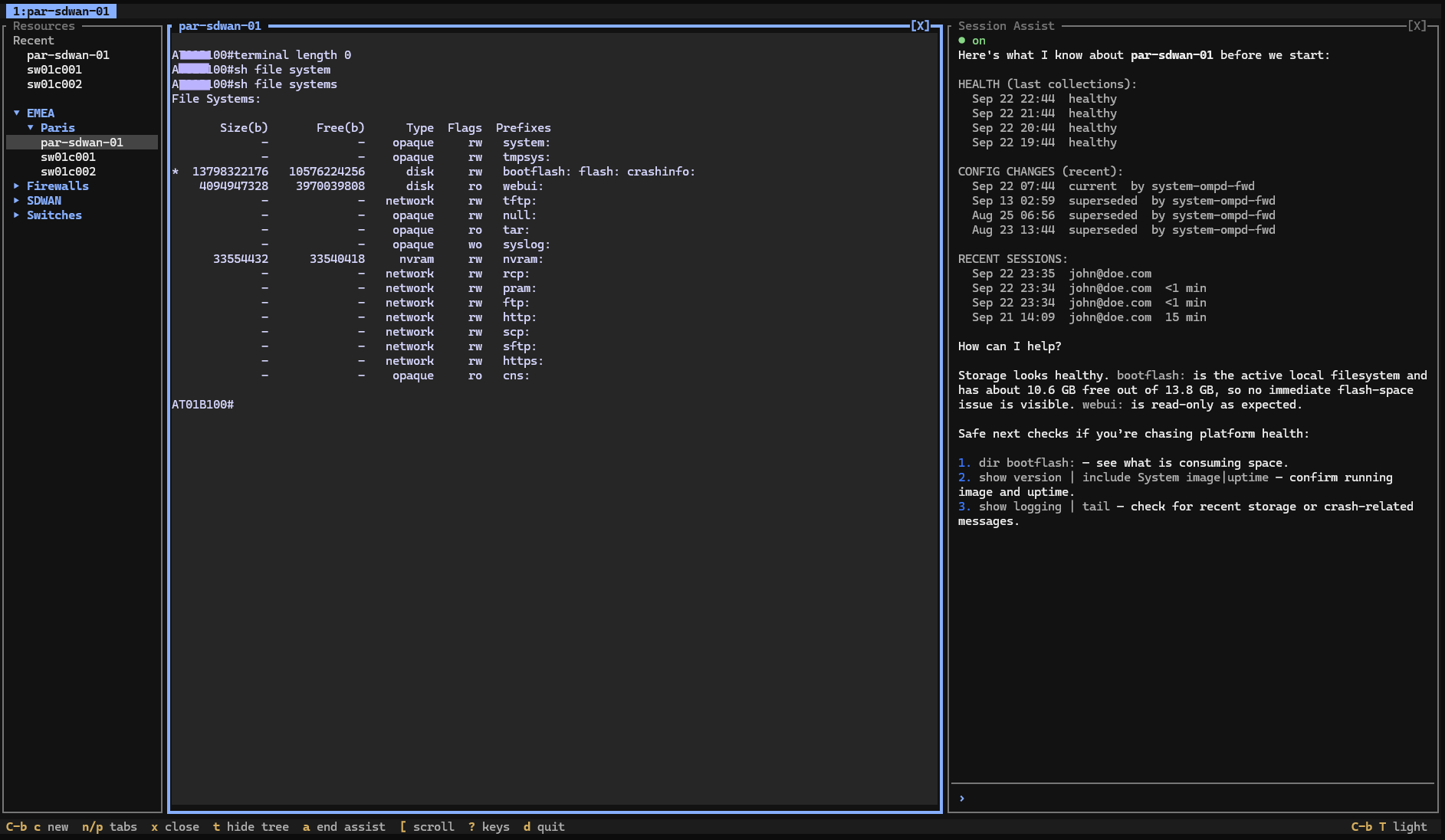
The same reach, under one enforced policy
MisterShell delivers the same reach — SSH, RDP, VNC, kubectl, database and cloud shells — behind one enforced policy, from the browser with nothing to install, or from the SSH client already on your machine. Point it at MisterShell and you get a full terminal workspace: the resource tree you would have browsed in the browser, several sessions open in tabs, and the same AI alongside the one you are working in — with the same permissions, policy, approvals and recording either way. Your automation takes the same door, so Ansible and the tooling around it keep reaching devices through MisterShell instead of around it — no playbook rewrite, and the same record as a session someone opened by hand. Every session is recordable and replayable by policy — immutable operational evidence in an object store you own — with every policy decision logged per rule and recorded sessions tied to the person behind them, credentials stored centrally instead of scattered across laptops — and a personal and team vault for each person’s own logins, with history and audit, so the KeePass file on a share can finally retire. Host keys are verified once against a saved fingerprint instead of a trust prompt on every laptop, and sensitive targets can sit behind an approval gate. And because sessions reach resources through outbound-only workers, a target only ever accepts connections from a known worker — you can close management ports to everything else, and no engineer’s laptop touches the resource directly. Connection profiles, access rules, audit, health, configuration history, and in-session AI all live in one self-hosted place. Files work the same way: instead of each engineer running SFTP from a laptop, your location tree doubles as a file catalog with object stores mounted per location, so a file for a Paris resource sits in a French bucket without anyone deciding that in the moment. People move files against the catalog and a policy governs every copy onto a resource — and because the closest worker streams the bytes, the device never reaches the store and the transfer keeps running after you close the tab. You keep one pane for everything; your organization gets the control — and the tight ingress — a local client cannot provide.
Where it breaks down on a team
The difficulty was never the client itself — it is that each one connects straight to the target, and that creates two problems the moment a team shares infrastructure. First, governance: hosts, keys, and credentials live in each person’s install — or their private cloud sync — so there is no chokepoint deciding who may reach which target, no recording of what was done, and no shared audit trail. Second, network exposure: because a client can connect from any laptop on any network, you cannot put a tight ingress rule in front of a resource — the target has to accept connections from wherever engineers happen to be, so management ports stay broadly reachable or guarded by a tangle of VPN and firewall exceptions. “Team” features push configuration out to clients; they never give the client a gate to pass through. That gate is the piece MisterShell adds, and it is the only part of the habit that has to change.
The essentials, in one platform
Remote workers, enterprise sign-in, high availability, and audit export to your SIEM come with the Pro edition; policy engines, session recording, and automation ship with Enterprise; IDS, syslog collection, and external access are licensed add-ons.
When a local client still earns its place
A local client — PuTTY, MobaXterm, SecureCRT, Royal TS, Devolutions RDM — still earns its place. It works offline, it costs little or nothing, and it needs no server behind it, so for a laptop that has to reach a lab or a home network on its own it remains the simpler answer. For rich graphical work — multi-monitor remote desktops, mapped drives — a native RDP client goes further than any browser or terminal session does. MisterShell does not ask you to give any of that up: your client stays, and it simply gains a governed way in for the infrastructure your team shares.
Start with MisterShell when
- More than one person reaches the same infrastructure and you need central policy, recording, and audit
- Your engineers should keep the terminal they like — and reach everything through one governed door
- Ansible and your other automation should run under the same rules as the people, not beside them
- You want to end credential sprawl and per-laptop configuration drift
- Files moving on and off infrastructure should be policy-governed and logged, not an SFTP tab on each laptop
- You also want health, configuration history, and AI in the same place
Keep a local client when
- You work offline, or reach labs and home networks that sit behind nothing at all
- Multi-monitor remote desktops and mapped drives are part of the daily job
- There is no team-wide governance, recording, or audit requirement
- You want a free or one-time-cost tool with no server component
Comparison reflects publicly available information as of September 2026. Verify current capabilities with each vendor.
Get in Touch
Want a guided demo, or a trial license to evaluate Pro or Enterprise on your own infrastructure? Tell us — we'd love to hear from you.