
One policy model. Humans and AI.
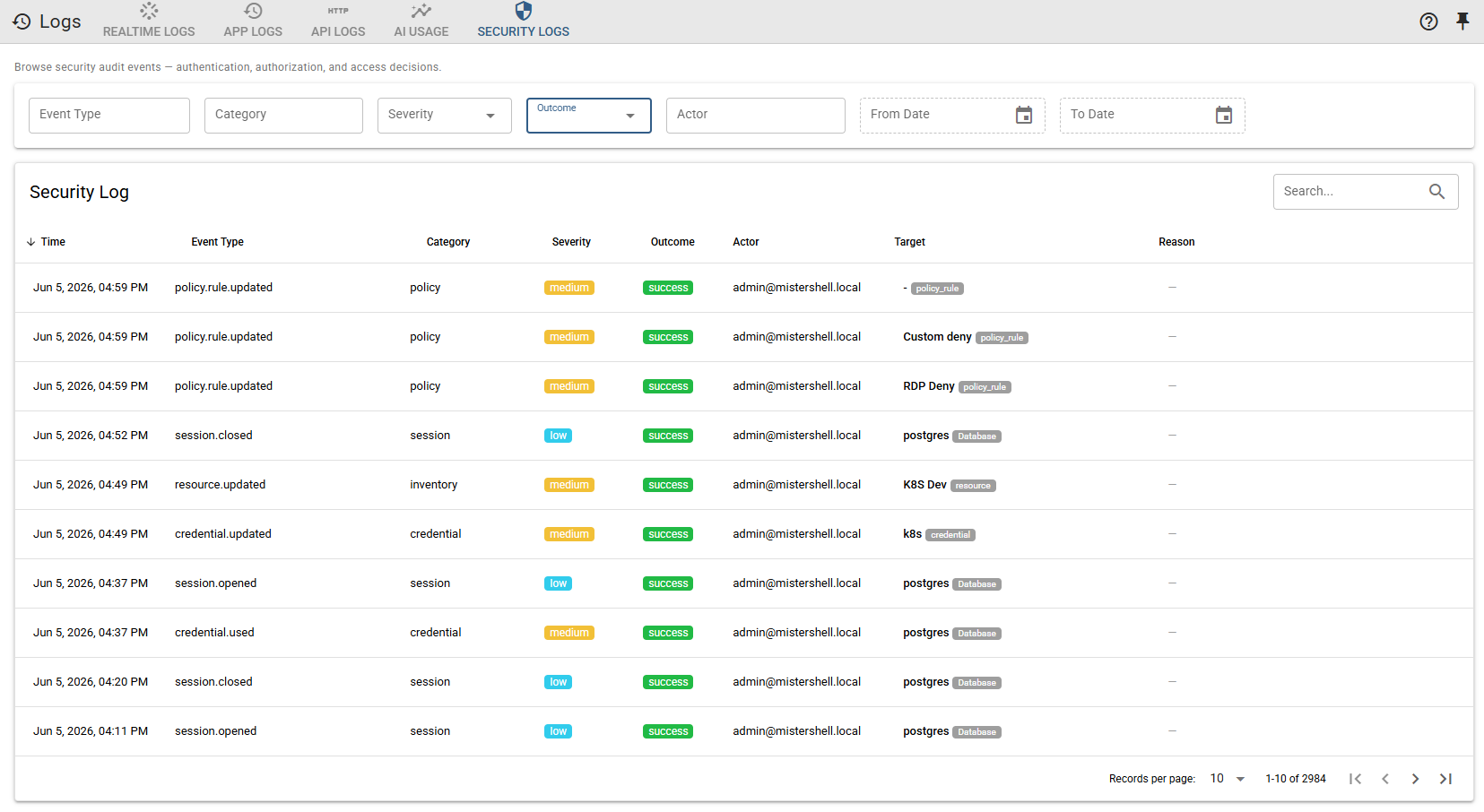
Operators and AI agents work from the same platform under the same access constraints. AI runs with the permissions of the person who invokes it, inside per-resource-type guardrails — and every action, human or agent, is attributed and audited.
AI is becoming an operator — without the controls
Two governance systems
Human access is governed by IAM and PAM; AI access is often governed by nothing. As agents start to act on infrastructure, that gap is the risk.
Over-privileged agents
An agent handed broad credentials can do far more than intended. Without per-action limits, "let AI help" quietly becomes "let AI do anything."
Unattributable AI actions
If an agent makes a change, you need to know who ran it, what it did, and whether it was allowed — the same questions you ask of a person.
Policy that does not transfer
Controls written for humans rarely apply to machine callers, so every AI integration reinvents access control from scratch.
The same rules apply, whoever is acting
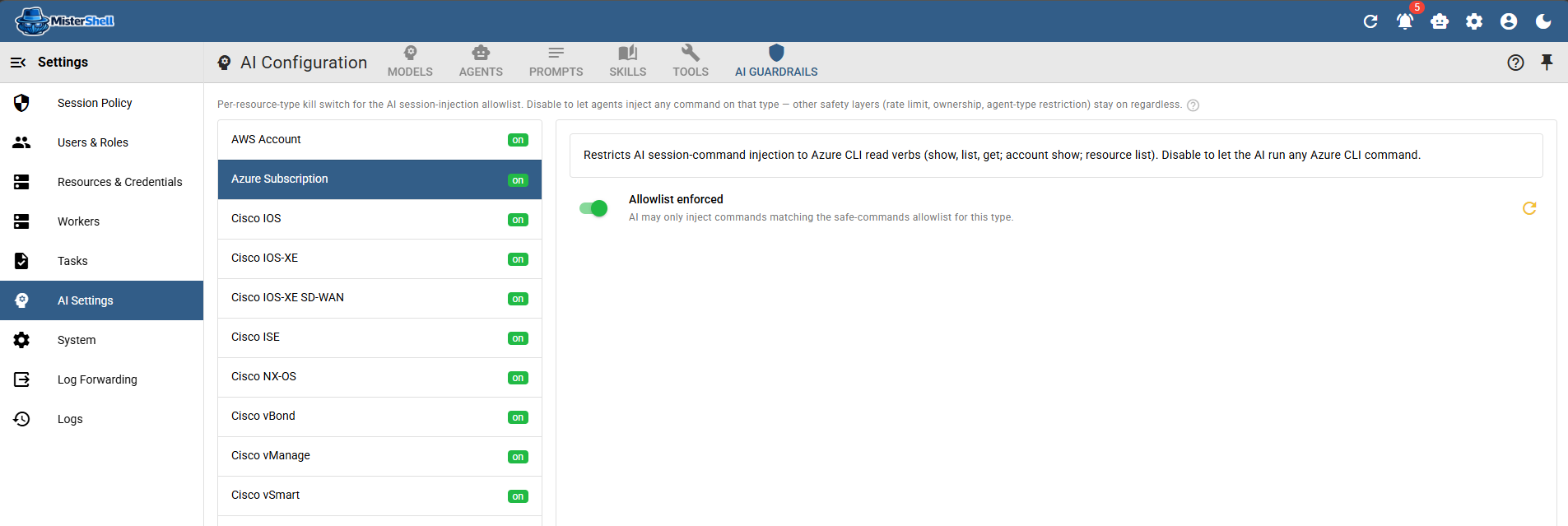
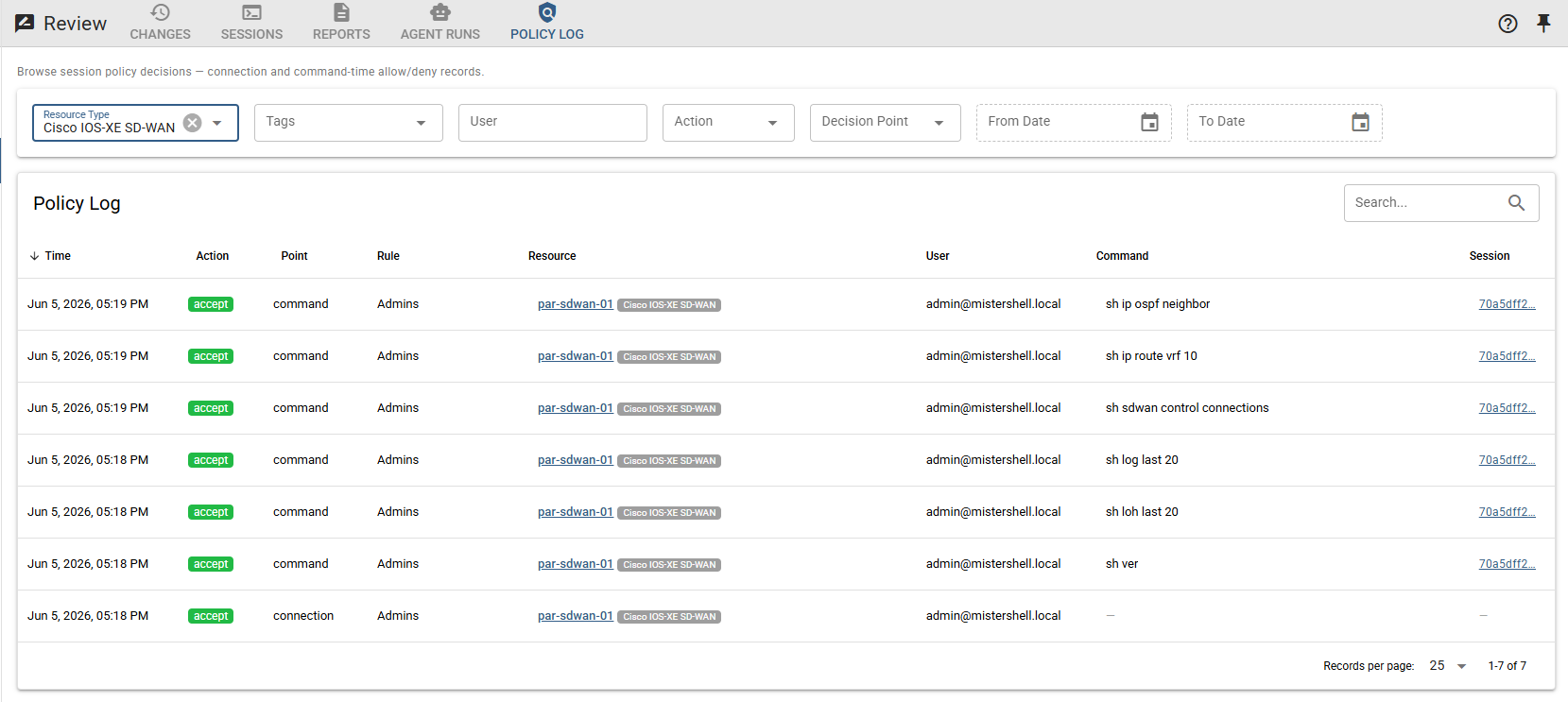
In MisterShell, an AI agent acts through the same tooling as a person: interactive assistance runs under the invoking user’s permissions and location scope, and background automation agents are constrained by their agent type and per-agent tool restrictions. On top of that, AI guardrails enforce a per-resource-type, read-only-by-default allowlist of what the assistant may run in a live session, rate-limited and bound to that user’s own session. Each agent is further restricted to the specific tools you grant it. And because human and AI activity flow through one platform, the policy log, agent runs, and usage records attribute every action — making oversight a single problem, not two.
Govern people and agents with one model
Shared access model
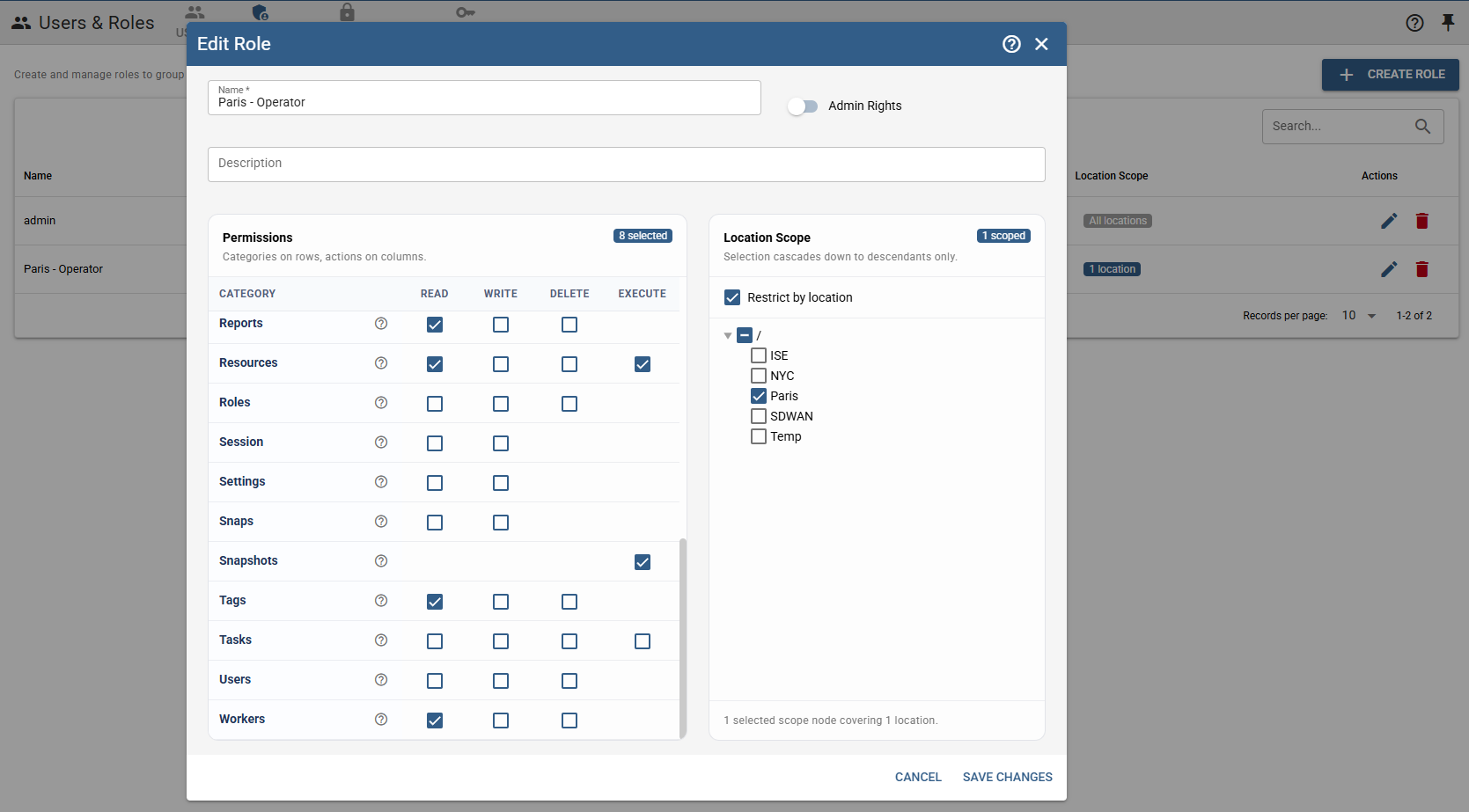
Session policy and location-scoped RBAC define what can be reached and run — across SSH, RDP, VNC, cloud, Kubernetes, and database sessions. Interactive AI assistance runs under the invoking user’s permissions and location scope; background agents are bound by agent-type and per-agent tool restrictions.
AI guardrails
A per-resource-type, read-only-by-default allowlist gates what the assistant may type into a live session. On by default, rate-limited, and resettable per type.
Per-agent tool limits
Each agent is a named combination of model, prompt, and a restricted set of tools — narrow what any given agent can do, down to individual tools.
Unified attribution
Human and AI actions are attributed and recorded together — the policy log, agent runs, and per-user AI usage answer "who did what" for both. An AI audit trail correlates every chat, assist, agent run, model request, and tool call — external agent calls included — into one attributable record, with a metadata-only AI stream you can forward to your SIEM.
Opt-in by design
Nothing is sent to a model provider until an agent is explicitly invoked, the operator stays in control of the session throughout, and a playbook can pause for a human Approve step before an AI-proposed change is pushed.
Governed external surface
The built-in MCP server exposes only typed, permission-checked tools to outside agents — internal-only meta-tools are never reachable from it. Agent platforms can sign in through your own OpenID Connect provider and act as a named user with exactly that person's permissions — no personal API keys to hand out.
Get in Touch
Want a guided demo, or a trial license to evaluate Pro or Enterprise on your own infrastructure? Tell us — we'd love to hear from you.