
AI that knows your infrastructure.
Ground AI agents in live inventory, configuration history, health, and events — reachable through the same governed tooling your operators use. Assistance that is useful because it has context, and safe because it is constrained. Bring your own LLM.
Generic AI does not know your estate
No grounding
A chatbot with no access to your inventory, changes, and health can only guess. Useful operational help needs real, current context.
Unsafe by default
Wiring an LLM directly to production is risky. Without per-action limits, helpful suggestions can become harmful commands.
Lock-in and data exposure
Many AI features tie you to one vendor and send your data through it whether you want to or not.
No accountability
If you cannot see what the AI was asked, what it produced, and what it consumed, you cannot trust it in operations.
Context-grounded, governed, and yours
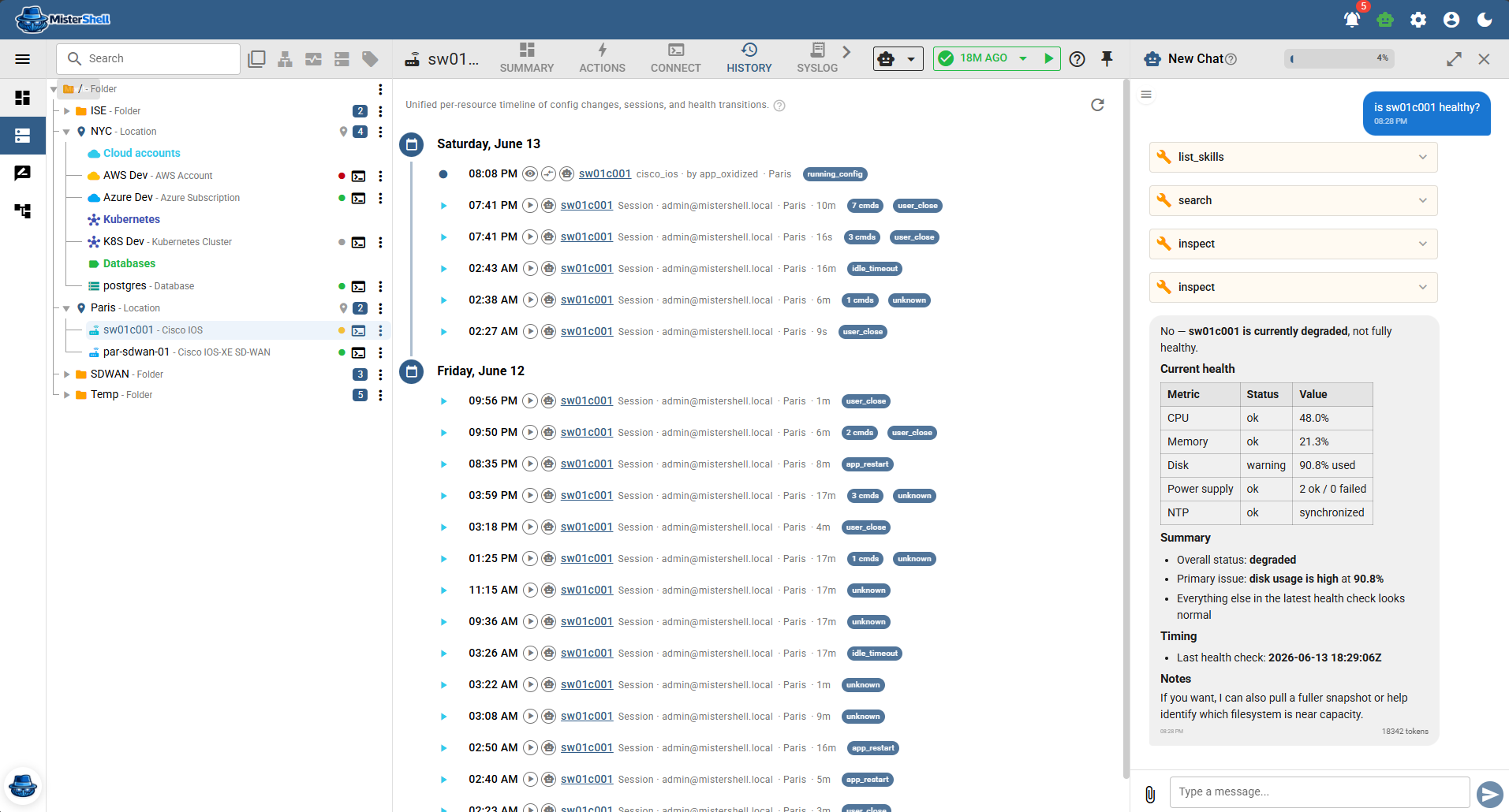
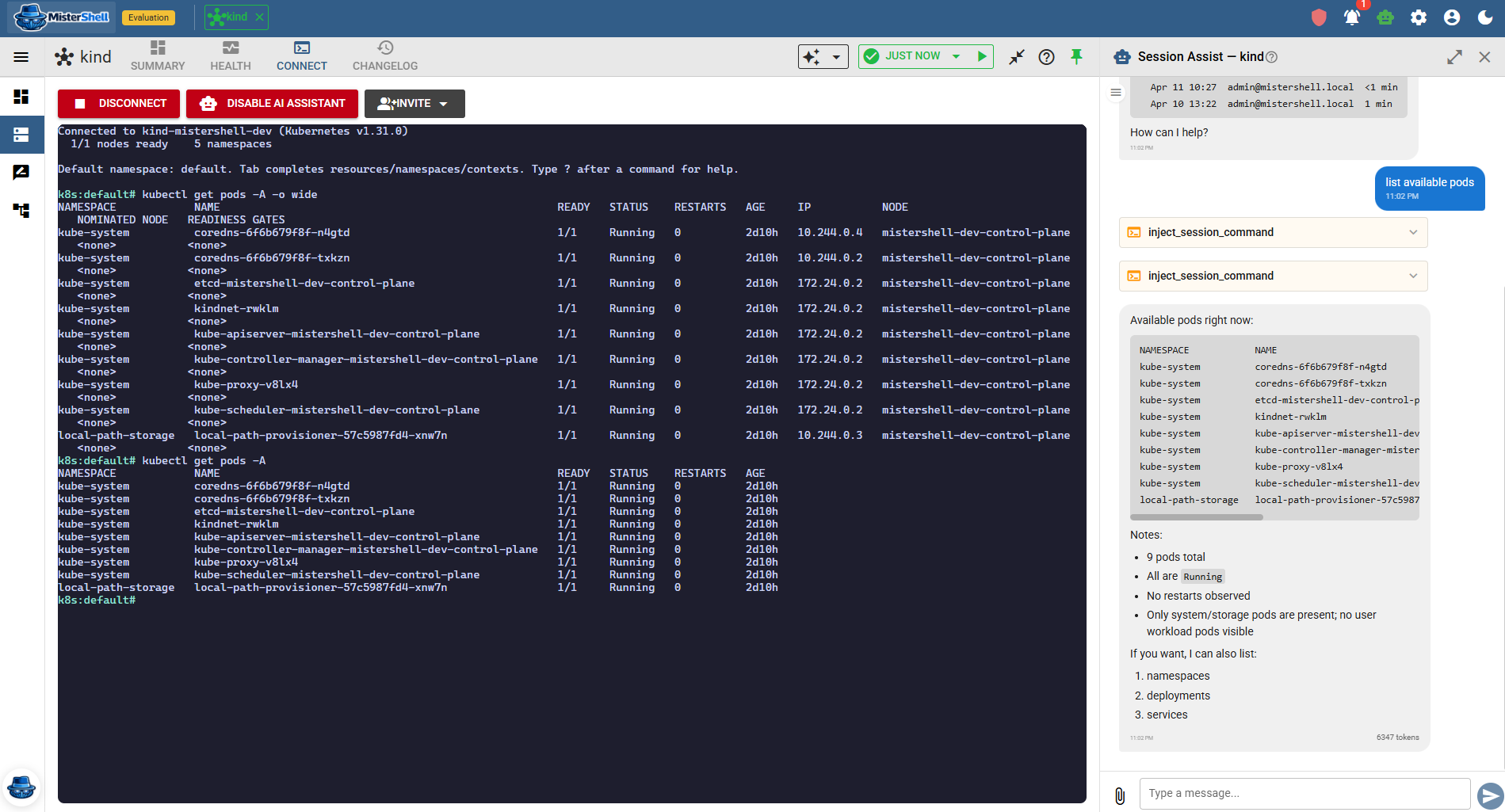
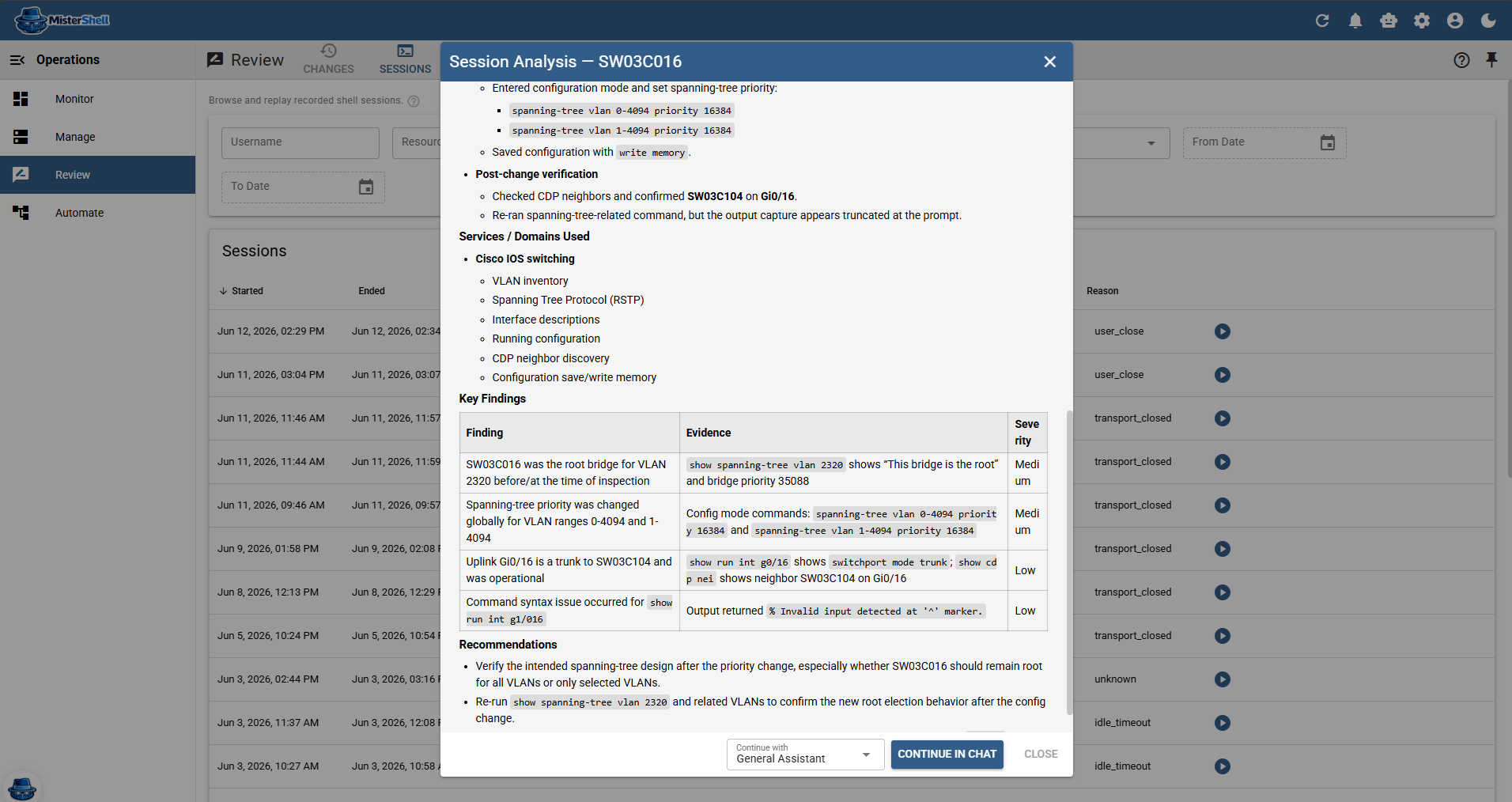
AI in MisterShell is a composable set of primitives, not a black box. You register your own model providers and own the billing. Agents combine a model, a prompt, and a restricted set of tools — permission-scoped and read-only by default — that read inventory, look up changelog entries, query operational facts and events, and run diagnostics on real resources. The assistant appears where the work is — a chat drawer, a Quick Assist button next to a resource or a config diff, in-session guidance that follows along as you type, and a Run Agent automation action — where a playbook can pause for a human Approve step before an AI-proposed change is pushed. Nothing leaves your environment until you invoke it.
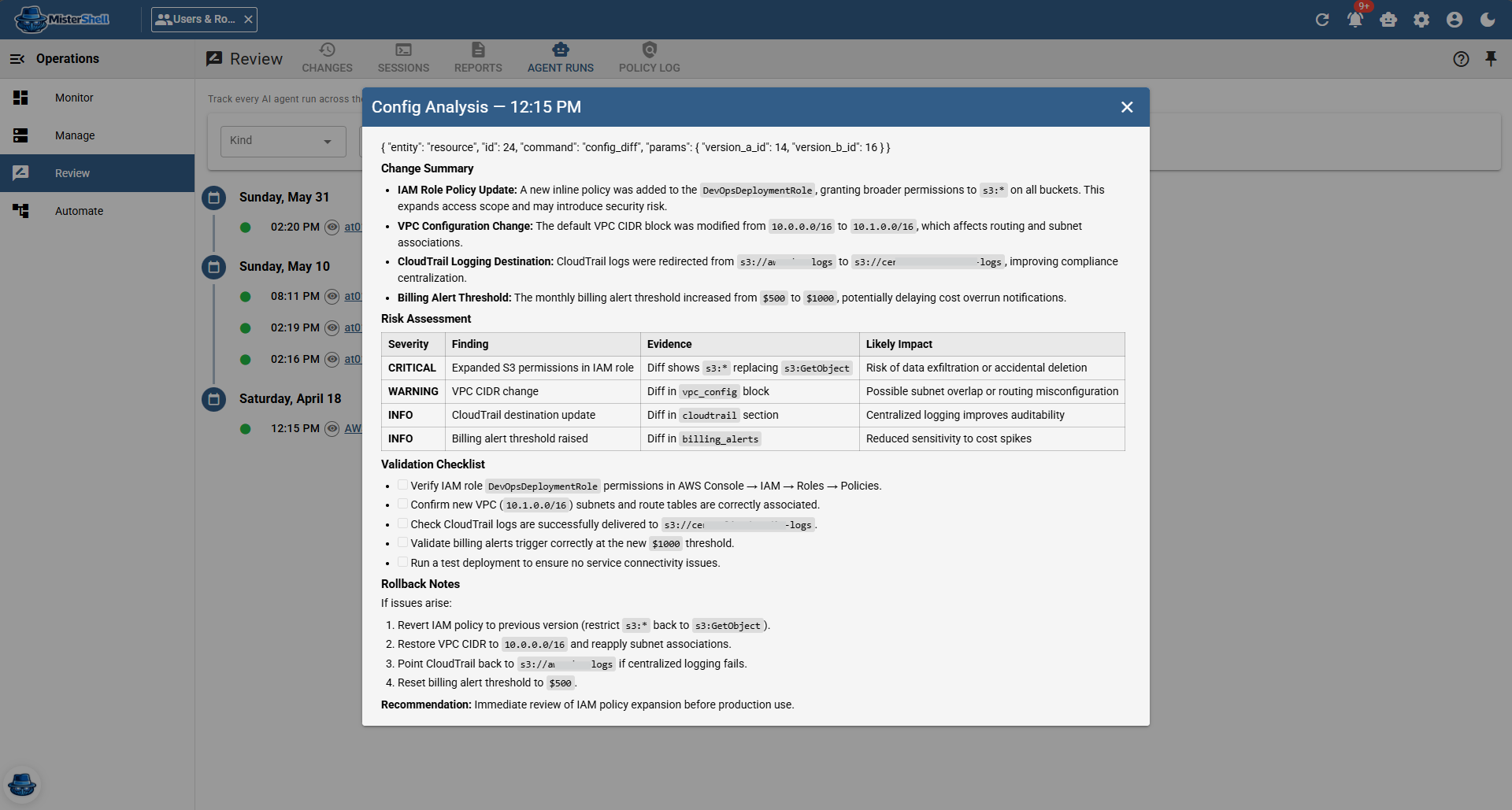
Assistance built into operations
Bring your own LLM
Ten providers — Anthropic, OpenAI, Ollama (self-hosted), Azure OpenAI, Google, AWS Bedrock, and more. You own the account and the billing.
Agents with scoped tools
Built-in agents handle config analysis, session assistance, summaries, and chat; build your own (Base edition and up), each limited to the specific tools you allow.
Multiple surfaces
Chat from anywhere, one-shot Quick Assist on a resource or diff, in-session guidance as you type, and Run Agent as an automation action.
Grounded in real context
Permission-scoped, read-only-by-default tools let agents search inventory, read the changelog, query operational facts and events, and run worker-based diagnostics — answers reflect your actual estate, and each resource's History shows its AI runs beside its sessions and changes.
Constrained execution
In-session command injection is read-only by default and gated by AI guardrails; the operator stays in control of the session.
Usage tracking and audit trail
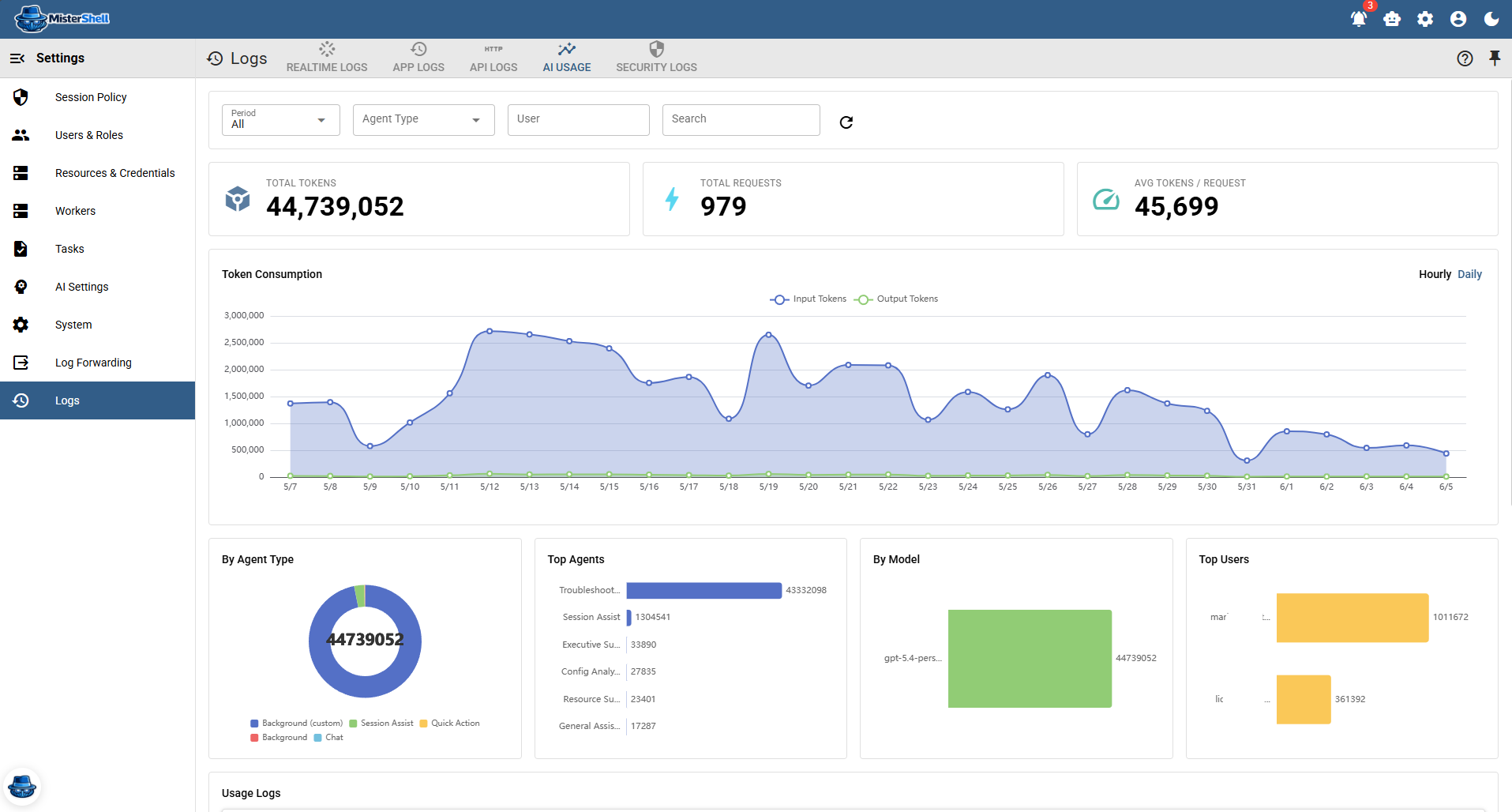
Every run is recorded with its output, token usage, and duration, attributed to the user who triggered it — and an AI audit trail correlates every chat, assist, agent run, model request, and tool call, external agent calls included, into one record with actor, origin, timing, and outcome.
Bring your own agent platform
External agent platforms reach the same governed tools through the built-in MCP endpoint, signing in with access tokens from your own OpenID Connect provider — the agent acts as that user, with exactly that user's permissions, and there are no personal API keys to hand out (Pro edition).
Get in Touch
Want a guided demo, or a trial license to evaluate Pro or Enterprise on your own infrastructure? Tell us — we'd love to hear from you.