
Kubernetes access management for platform teams.
Browser kubectl shells — governed per command with your own ACLs — with session recording and replay, SSO, location-scoped RBAC, and syslog/CEF audit to your SIEM. Automate inventory and access with the REST API and built-in MCP endpoint.
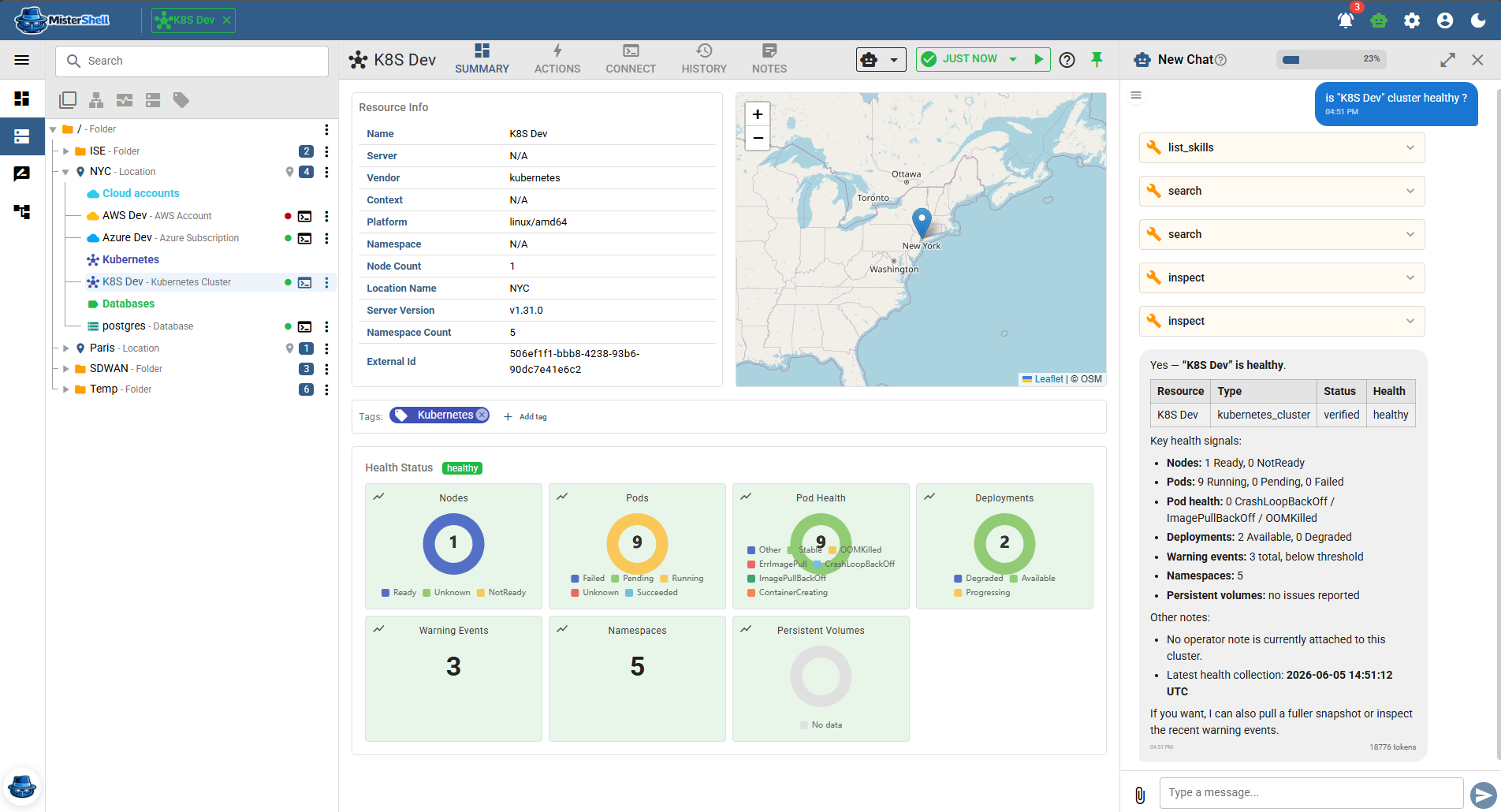
Kubeconfig sprawl, opaque cluster changes, and audit gaps.
Kubeconfig files sprawl across laptops
Every engineer who needs cluster access generates or receives a kubeconfig. Files proliferate, rotate inconsistently, and live on laptops that change hands — a growing perimeter with no central control point.
RBAC controls access, not what was typed
Kubernetes RBAC controls what a role can do; it does not record what a person actually typed or what came back. After an incident, reconstructing what happened in a cluster session requires logs from multiple sources.
Read-only cluster access is hard to enforce
Granting temporary read-only access for an SRE, an auditor, or a contractor requires custom RBAC configuration per cluster per person. In practice, engineers get broader access than they need because fine-grained grants are too slow to provision.
Cluster access is disconnected from the broader estate
Platform teams manage clusters alongside Linux nodes, cloud resources, and databases — but cluster access lives in a separate tool with separate audit, separate credentials, and separate governance.
Centralized cluster access with the controls platform teams need.
MisterShell delivers browser kubectl shells for your clusters inside the same workspace used for every other session type. Session policy, command ACLs, recording, and syslog/CEF audit apply consistently — so platform teams get one access plane and security teams get one audit trail.
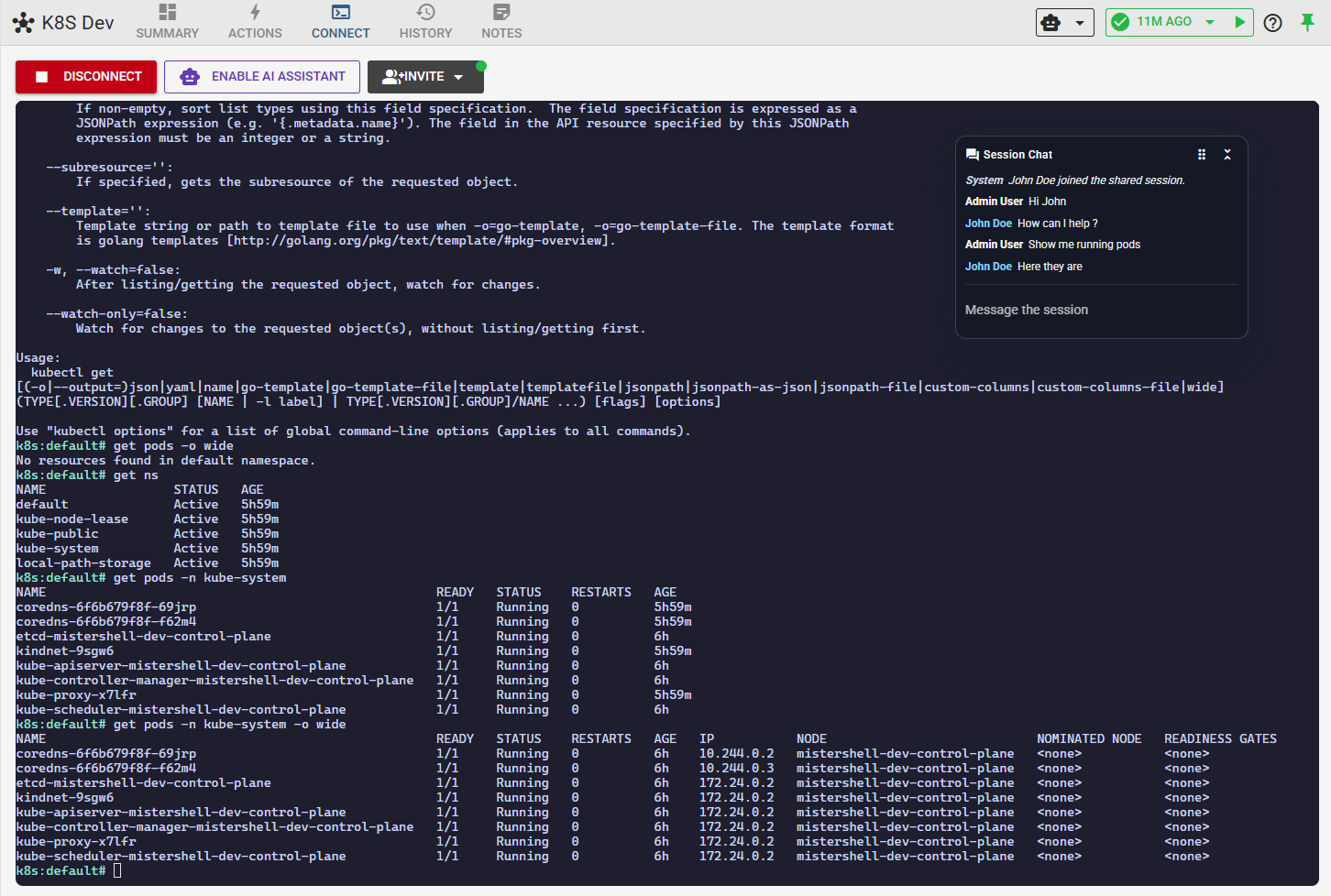
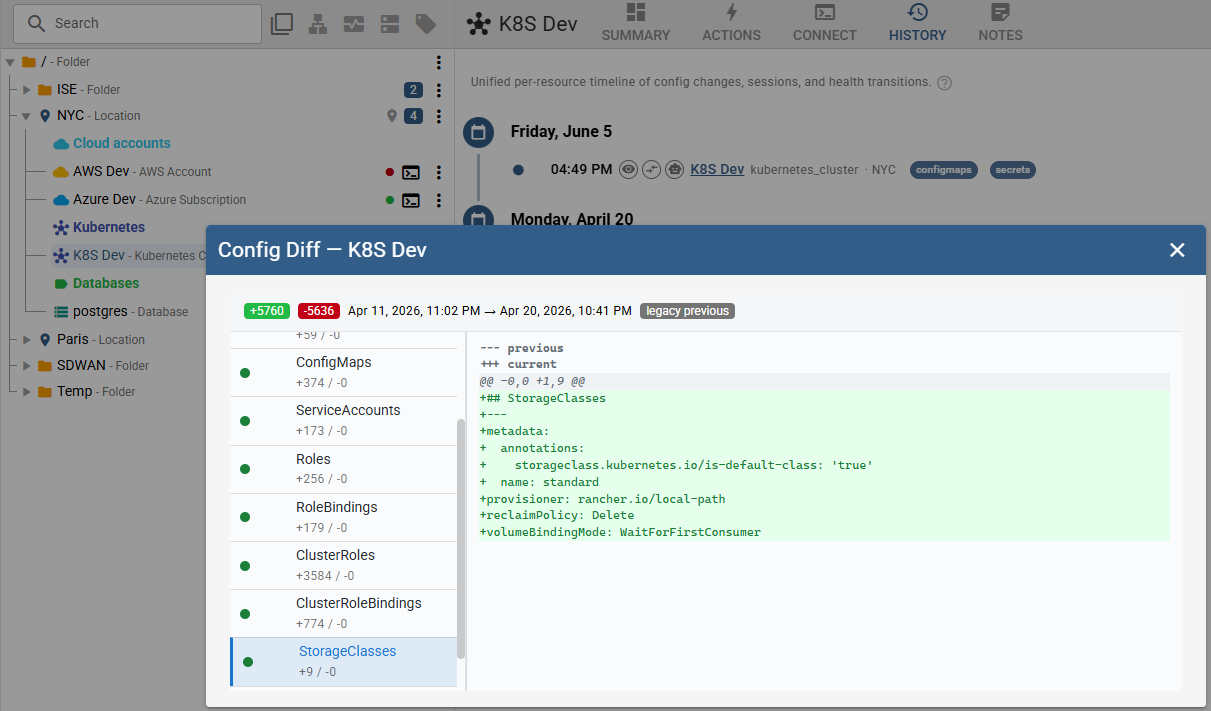
Governed kubectl access, fully integrated.
Remote workers, enterprise sign-in, high availability, and audit export to your SIEM come with the Pro edition; policy engines, session recording, and automation ship with Enterprise; IDS, syslog collection, and external access are licensed add-ons. See pricing.
Browser kubectl shell
Full kubectl shell delivered in the browser — shared, auditable, and policy-governed like every other session. No kubeconfig distribution required for engineers accessing clusters through MisterShell.
Govern kubectl per command
Per-command ACLs are named allow/deny pattern lists — glob or regex — that admins author for kubectl, with scoping carried on the policy rules. Access levels are enforced at the command level, not just the connection level.
Session recording and replay
kubectl sessions are recorded and replayable under your Recording Policy, and recordings are immutable operational evidence — deleting a resource, user, or worker never deletes them, and they live in an object store you control. Each recording is SHA-256 hashed at capture, the hash held apart from the recording, and replay verifies it — so you can show it has not been altered since. After an incident, replay exactly what ran — commands, output, and timing — without reconstructing events from scattered logs.
Location-scoped RBAC
Control who can see, open, and administer sessions to specific clusters, scoped per location. Production clusters can have a tighter role set than staging — enforced in the platform, not in spreadsheets. Temporary access — an SRE on call, an auditor, a contractor — can sit behind a human approval with a grant that expires on its own, every request and decision kept as evidence (Enterprise edition).
SSO via LDAP, OIDC, or SAML
Map directory groups to MisterShell roles so cluster access follows your existing identity lifecycle. Access is revoked when a user leaves the group — no manual kubeconfig rotation.
Audit to SIEM via syslog/CEF (Pro edition)
Security audit events export to your SIEM via syslog/CEF. Recorded sessions carry a command timeline and policy decisions are logged per rule — cluster actions attributable and searchable.
Cluster inventory as code
Define cluster connections and locations declaratively with the official MisterShell Terraform provider — inventory changes ship through the pull-request review your platform team already uses, with the REST API for everything scripted.
Automation and programmatic access
Event-driven automation triggers on session start/end, worker status, and policy notifications. The REST API drives your own tooling, and the built-in MCP endpoint gives AI tools permission-scoped, read-only-by-default context and diagnostics on your clusters. An agent platform can sign in with access tokens from your own OpenID Connect provider and act as a named user with exactly that user's permissions — no personal API keys to hand out (Pro edition).
One plane for clusters — and everything around them.
Clusters live on the same platform as the servers, networks, and databases beside them — so your controls don’t stop at the cluster edge.
Your RBAC and audit reach past the cluster
The location-scoped RBAC, SSO, and SIEM export you set for kubectl cover servers, network gear, and databases on the same platform. One access plane, one audit feed — not a cluster silo.
Security’s policy enforces your read-only defaults
Session policy and your per-command ACLs govern kubectl for people, while AI actions pass a separate, read-only-by-default allowlist — so the limits you set stay enforced even when an agent is driving.
Build once, automate everywhere
Drive every resource type from the REST API or the Terraform provider — with permission-scoped context and diagnostics through the built-in MCP endpoint, where your agent platforms sign in with your own OIDC tokens — and fire in-platform playbooks on live events: the same automation surface the rest of the estate already uses.
Get in Touch
Want a guided demo, or a trial license to evaluate Pro or Enterprise on your own infrastructure? Tell us — we'd love to hear from you.