
Privileged remote access, under policy.
Control who can reach which resources — servers, network, cloud, Kubernetes, and databases — from where and under which rules, with firewall-style session policy, per-command ACLs, a human approval before access where you require one, encrypted credentials, and full audit with replay. Outbound-only workers fit your segmentation; external vendors join by invitation.
Privileged access is where risk concentrates
Standing access is hard to bound
Broad credentials and flat network reach mean any account can do too much. Least privilege is easy to say and hard to enforce per resource and per command.
Vendors and contractors need a way in
External parties often get VPN accounts or shared logins — access that is hard to scope, time-box, and attribute when something goes wrong.
Evidence is scattered
Auditors want to know who did what, where, and whether it was allowed. Assembling that from jump-host logs and ticket trails is slow and incomplete.
Inbound firewall holes
Traditional bastions need inbound rules into protected zones — exactly what segmentation policy is trying to prevent.
Governed sessions, enforced at connection and at every command
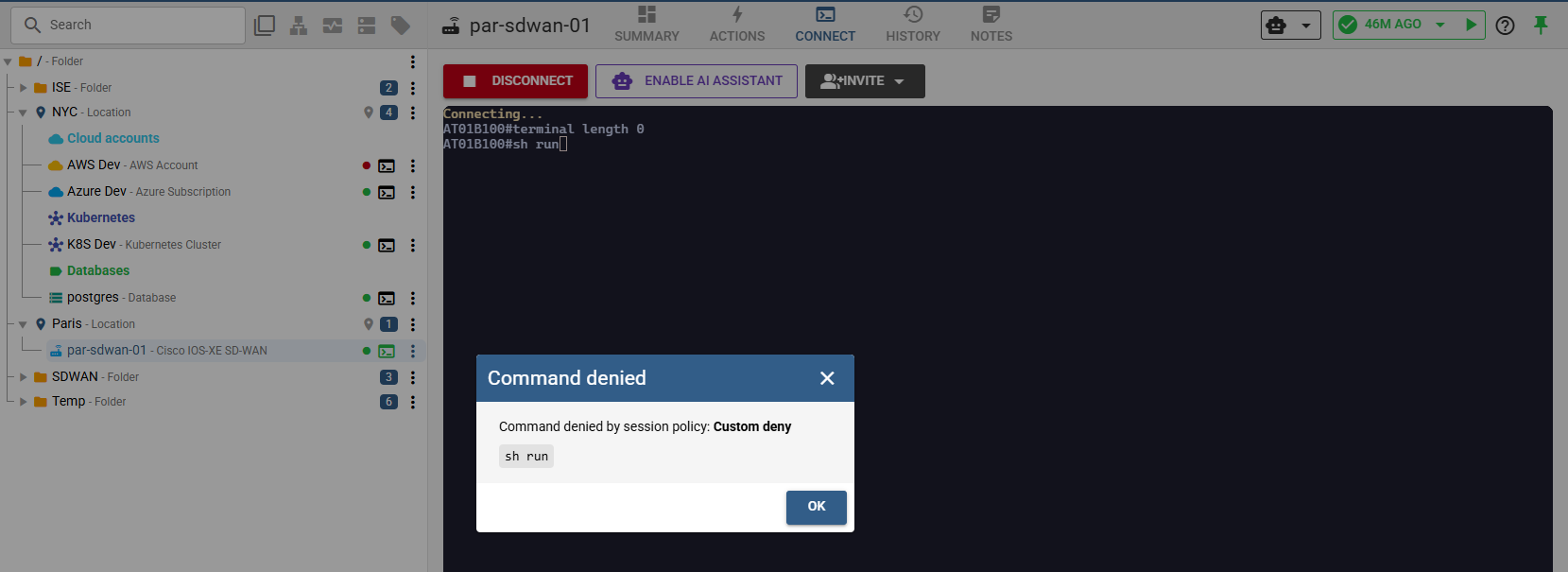
MisterShell evaluates firewall-style session policy when a session opens — and in shell sessions, on every command typed, checked at the worker so a denied command never reaches the target. Where a resource warrants it, a rule requires a human approval first, with a grant that expires on its own. Credentials are vaulted and masked, workers connect outbound only, and sessions are recorded and replayable under Recording Policy. Access maps to your directory and roles, scoped per location, and external guests join a single shared session by one-time email invitation without an account.
Control, isolation, and evidence in one platform
Every session type, one policy
The same governance covers every way in — browser SSH and cloud CLIs, interactive RDP and VNC desktops, Kubernetes and database shells, and proxied web apps. One session policy and one audit trail, whatever the target — checked at connection time everywhere, and command by command in shell sessions.
Session policy & command ACLs
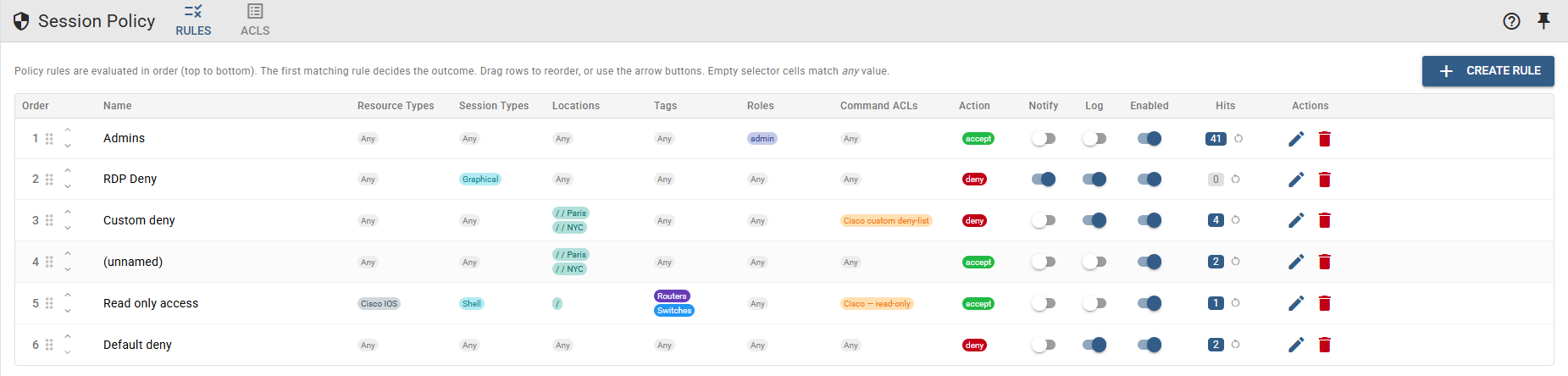
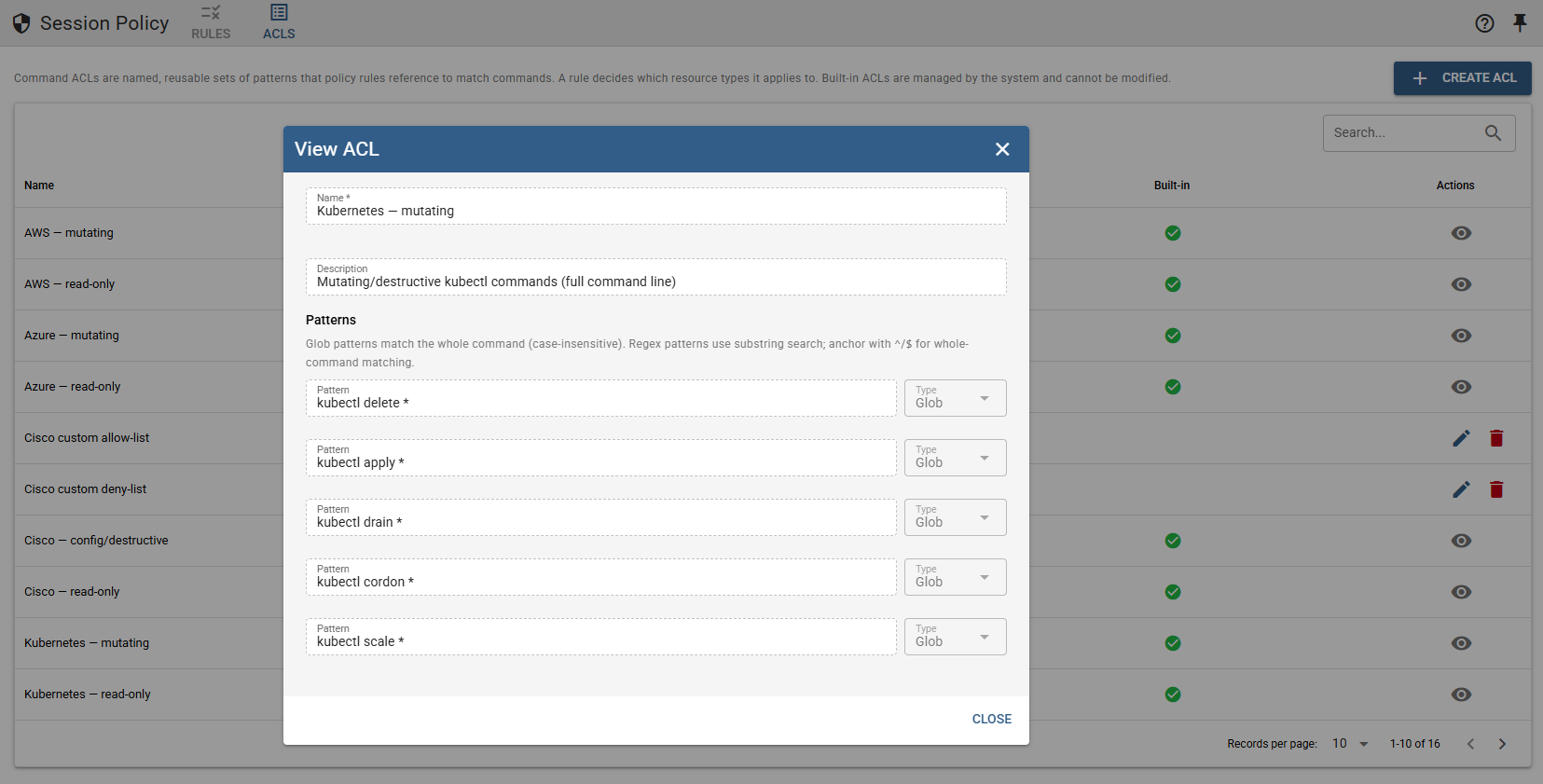
Allow/deny rules — with notify and log flags — by location, resource type, tag, role, or session type, evaluated at connection time and per command in shell sessions. The command check is not naive pattern matching: a command line is taken apart and every part of it has to be allowed on its own, so a blocked command chained onto a permitted one still does not run. Backed by reusable named ACLs: built-in database read-only and mutating-SQL sets, plus the sets you define.
Approval before access
A policy rule can require a human decision before a session opens or a file transfer starts. The roles you name approve, the access expires on its own, and every request and decision is kept as evidence — even after the rule changes (Enterprise edition).
Encrypted credentials
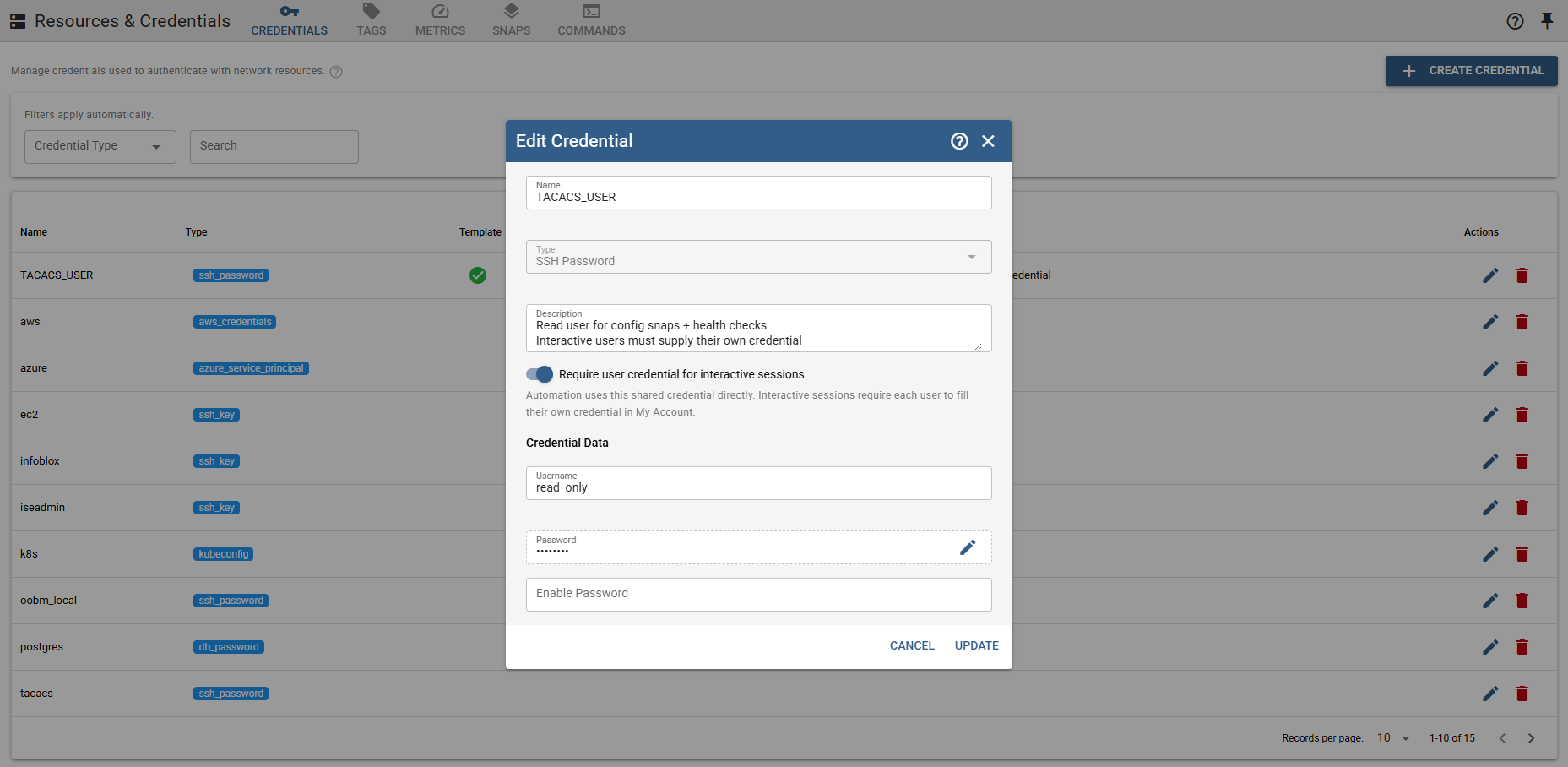
Shared or per-user credential mapping, plus a personal and team vault for each person's own logins with history and audit. Stored credentials are kept out of command arguments and masked in API responses.
Files under the same policy as sessions
Data leaving or landing on a privileged system is governed like any other privileged act. People work against a file catalog carried by your location tree, never the resource directly, and an ordered File Transfer Policy rules on every copy — by location, resource type, tag, role, direction, and both source and destination paths, so a firmware image can be permitted while sensitive destinations on the box stay closed. The whole selection is checked before anything moves, an unmatched transfer is denied, a transfer can require approval too, and each one becomes its own session in the audit trail with operations and hashes recorded — never file content.
Identity & location-scoped RBAC
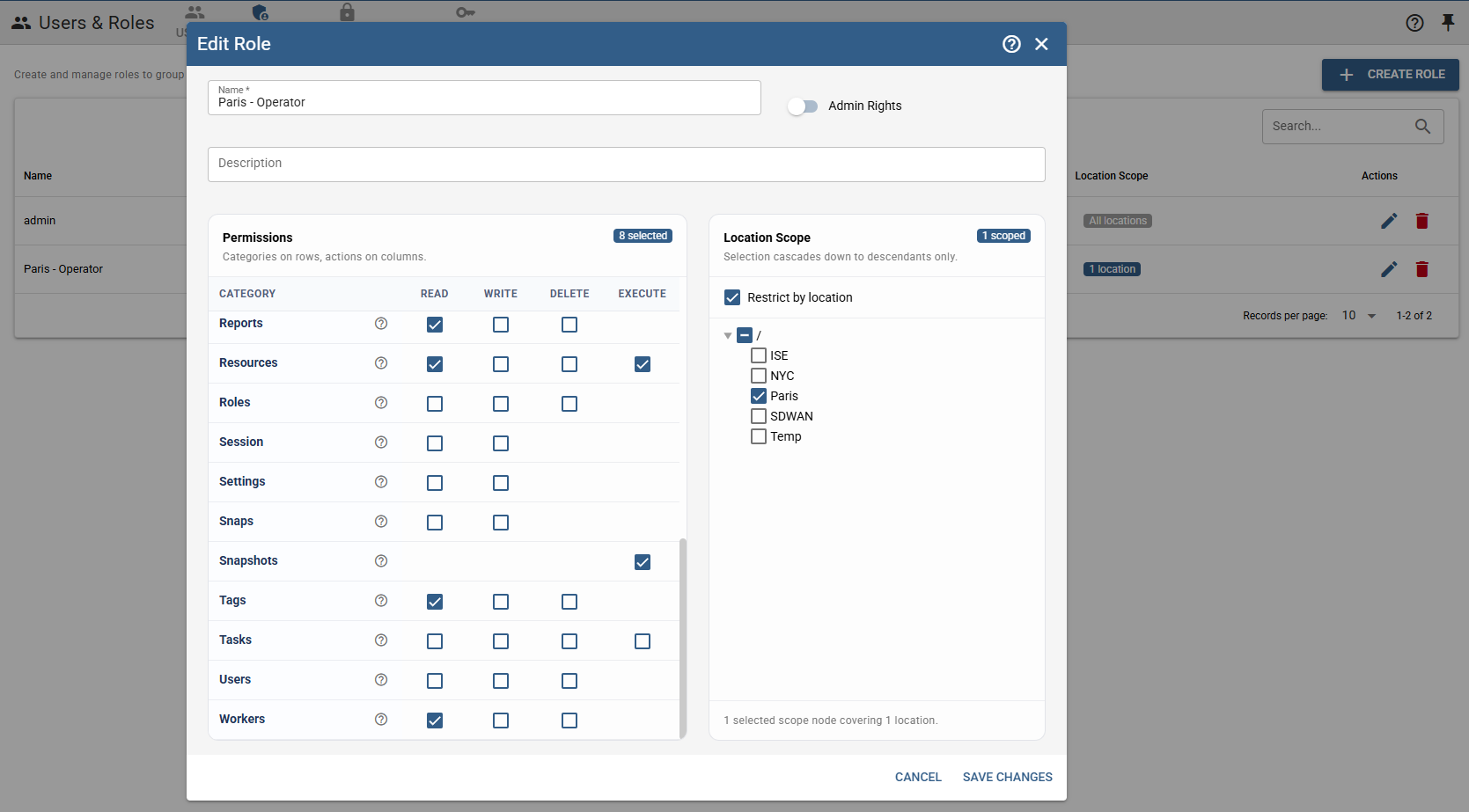
LDAP, OIDC, and SAML single sign-on (Pro edition), with directory groups mapped to roles and permissions scoped per location — least privilege by default.
No inbound firewall rules
Workers deploy as managed jump hosts inside protected zones and connect outbound only, so MisterShell fits enterprise segmentation instead of fighting it.
External access by invitation
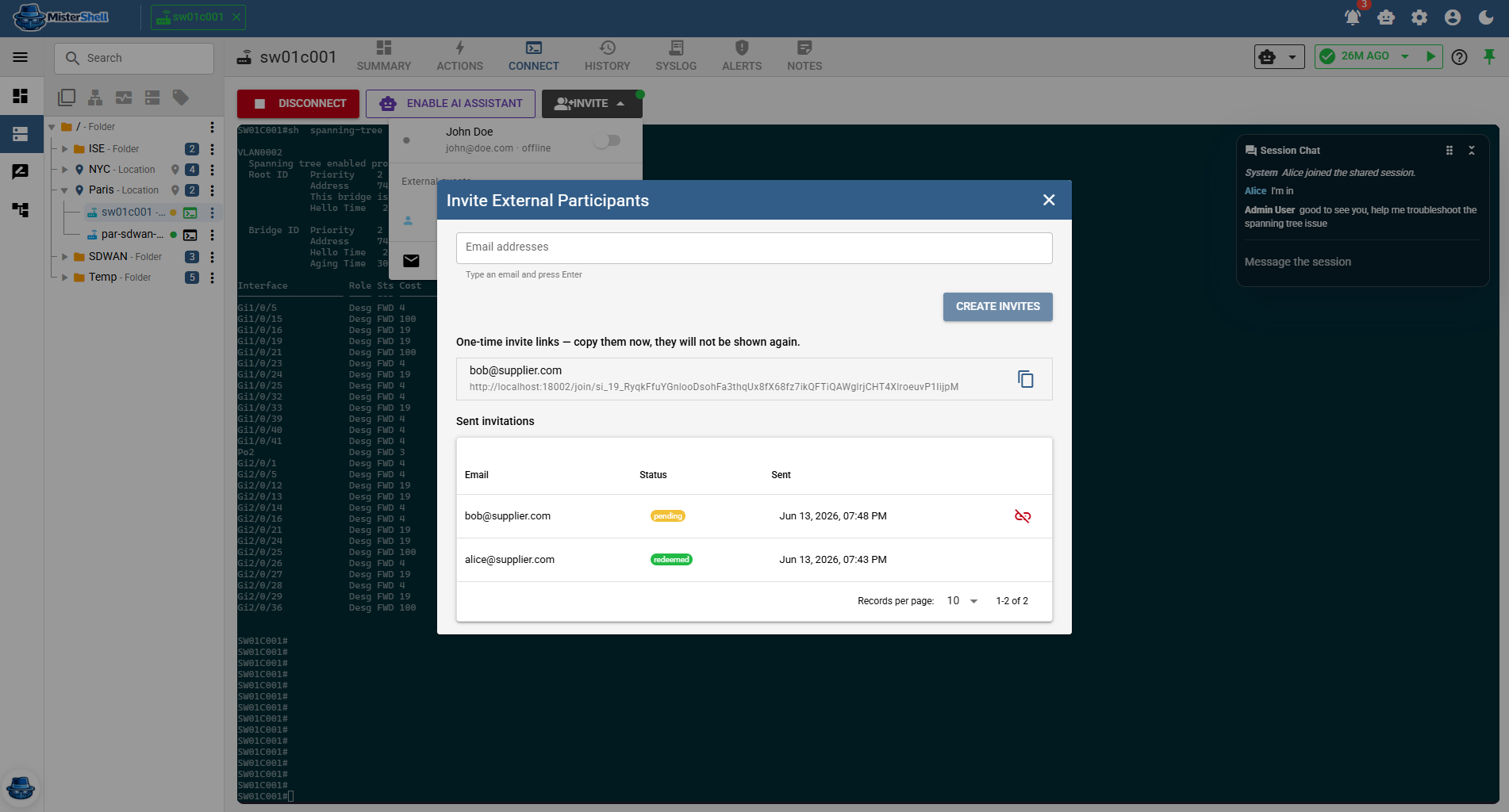
Invite a vendor or contractor to a single shared session by email — a one-time join link, no account, reached over the Session Proxy add-on. Guest access stays off until an admin enables it, session policy still applies, and you can revoke or remove them at any time.
Audit & replay
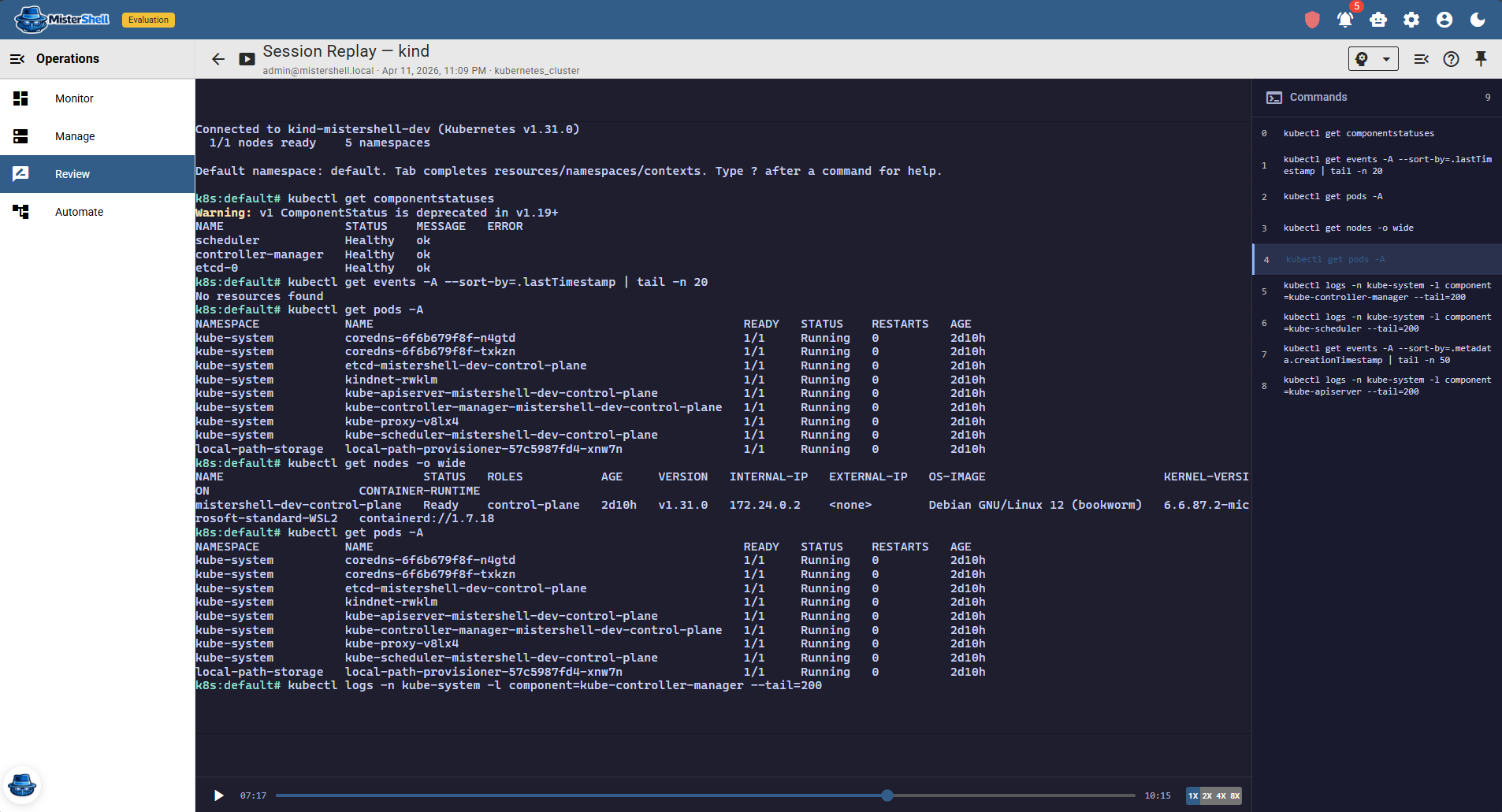
Policy decisions logged rule by rule wherever a rule enables logging, command timelines on recorded sessions, session recording/replay by policy, and every access request and decision kept as evidence — with security events exported to your SIEM via syslog/CEF (Pro edition), every privileged action is attributable and reviewable.
Get in Touch
Want a guided demo, or a trial license to evaluate Pro or Enterprise on your own infrastructure? Tell us — we'd love to hear from you.