
AI as governed primitives, not a black box.
MisterShell builds AI from composable parts you control: your own models, agents scoped to specific tools, a read-only-by-default execution path, and guardrails per resource type. Nothing is sent to a provider until you invoke it, and every run is attributed.
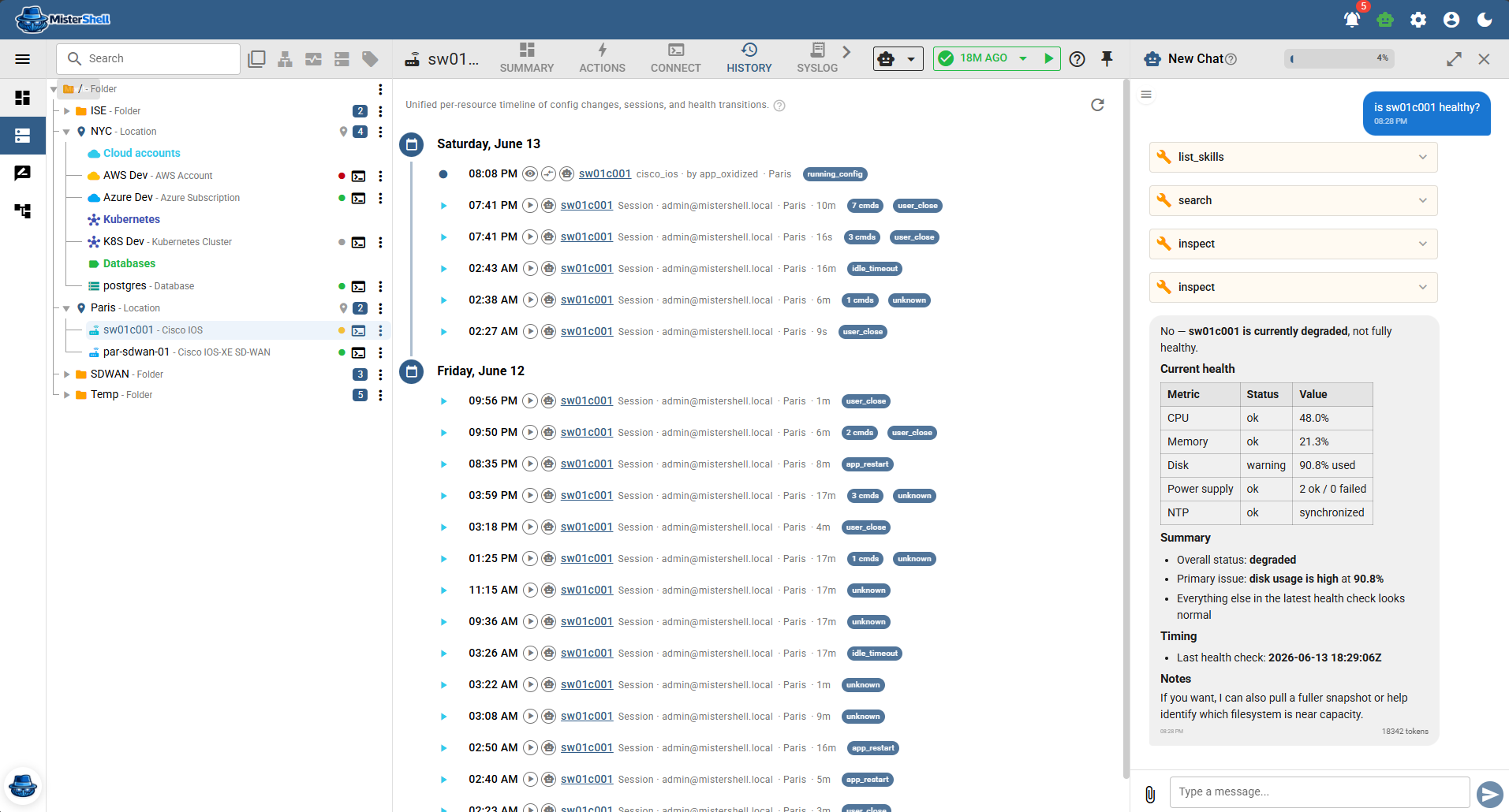
Composable, and governed at each layer
Models
Register any number of providers — Anthropic, OpenAI, Ollama (self-hosted), Azure OpenAI, Google, Mistral, xAI, Cohere, OpenRouter, or AWS Bedrock. API keys are stored encrypted; you own the account and the billing, and you set the workspace default.
Agents
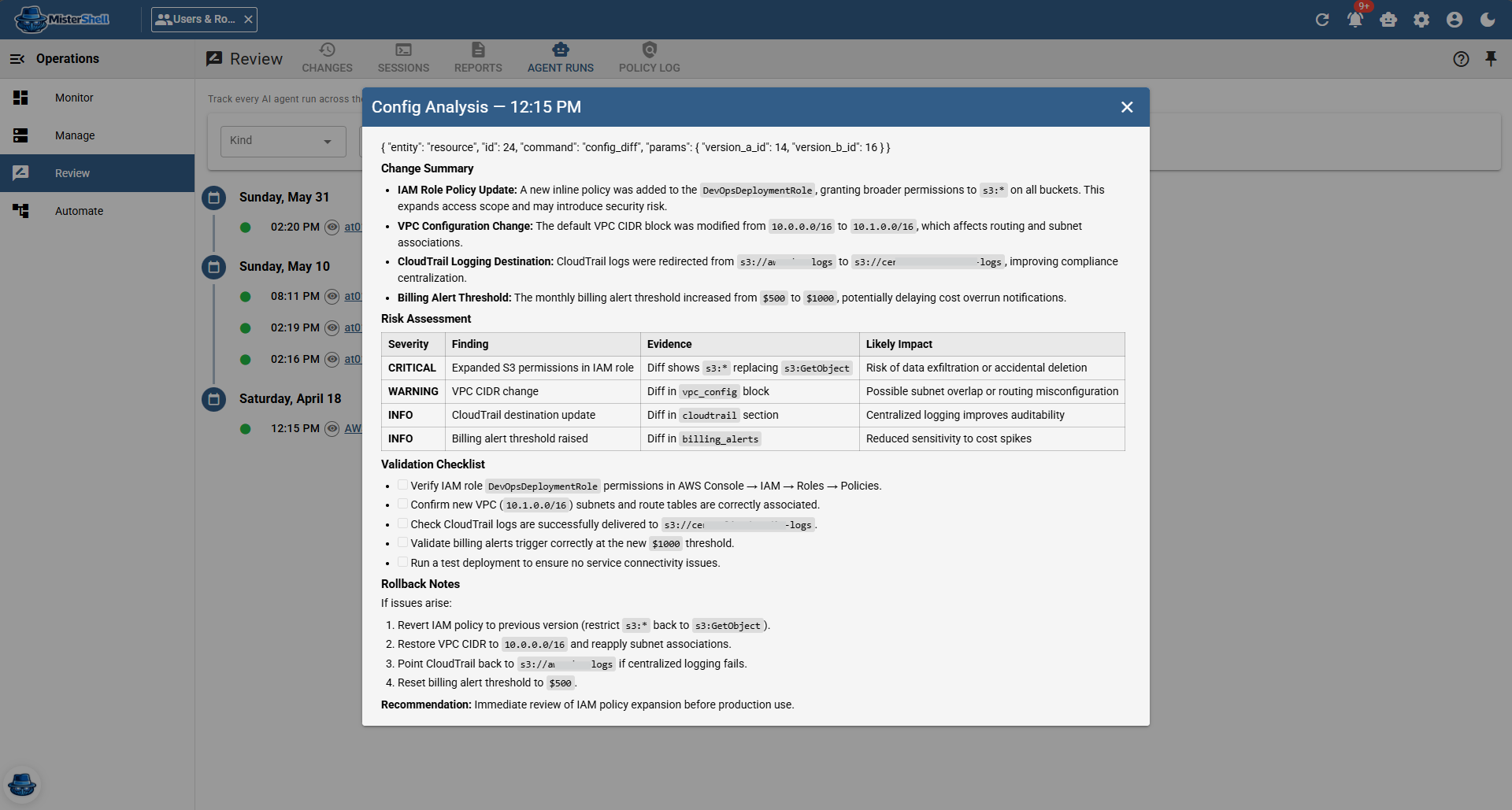
A named combination of a model, a prompt, and a restricted set of tools. Built-in agents cover config analysis, session assistance, summaries, and chat; you can create your own.
Prompts
Reusable system prompts you assign to agents, so behavior is consistent and editable in one place.
Tools
A code-defined catalog agents can call — search inventory, inspect resources and their operational facts, run diagnostics, read changelog and events, and inject read-only commands into a session. Each tool enforces the caller’s permissions.
Skills
Internal meta-tools let in-process agents discover and load capabilities on demand — and they are hidden from the external HTTP MCP surface.
Guardrails
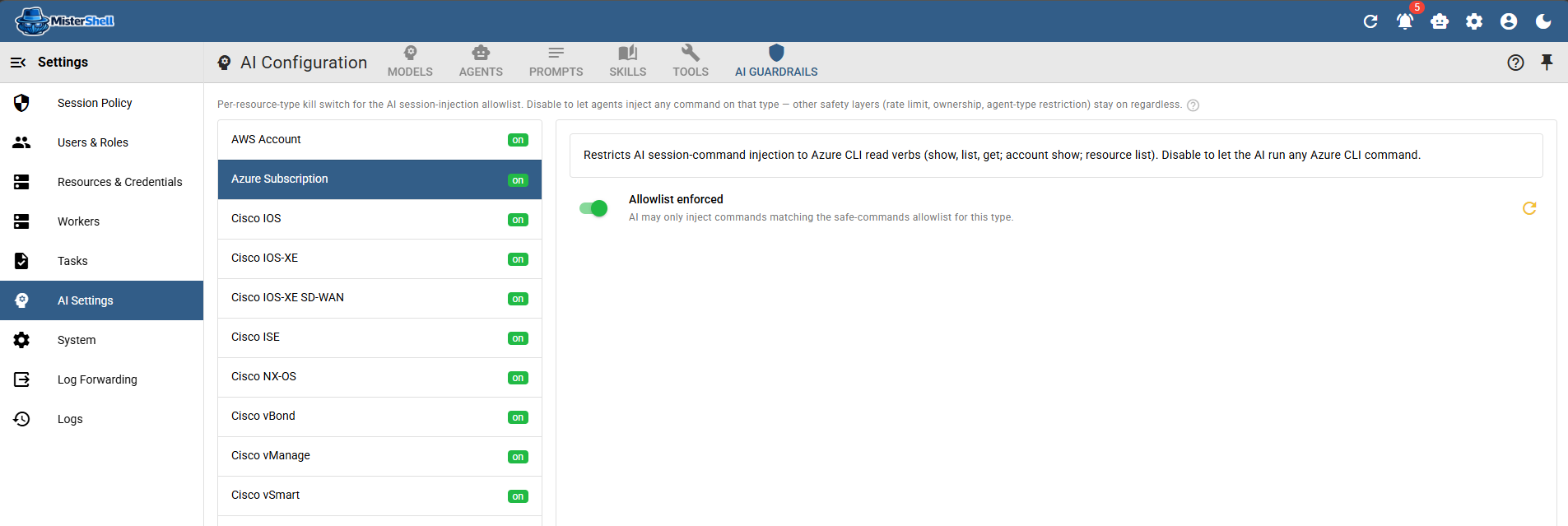
A per-resource-type, read-only-by-default allowlist gates what any agent may run — in a live session, from the command catalog, or through MCP. On by default, rate-limited, and bound to the invoking user’s permissions.
Useful, but never unaccountable
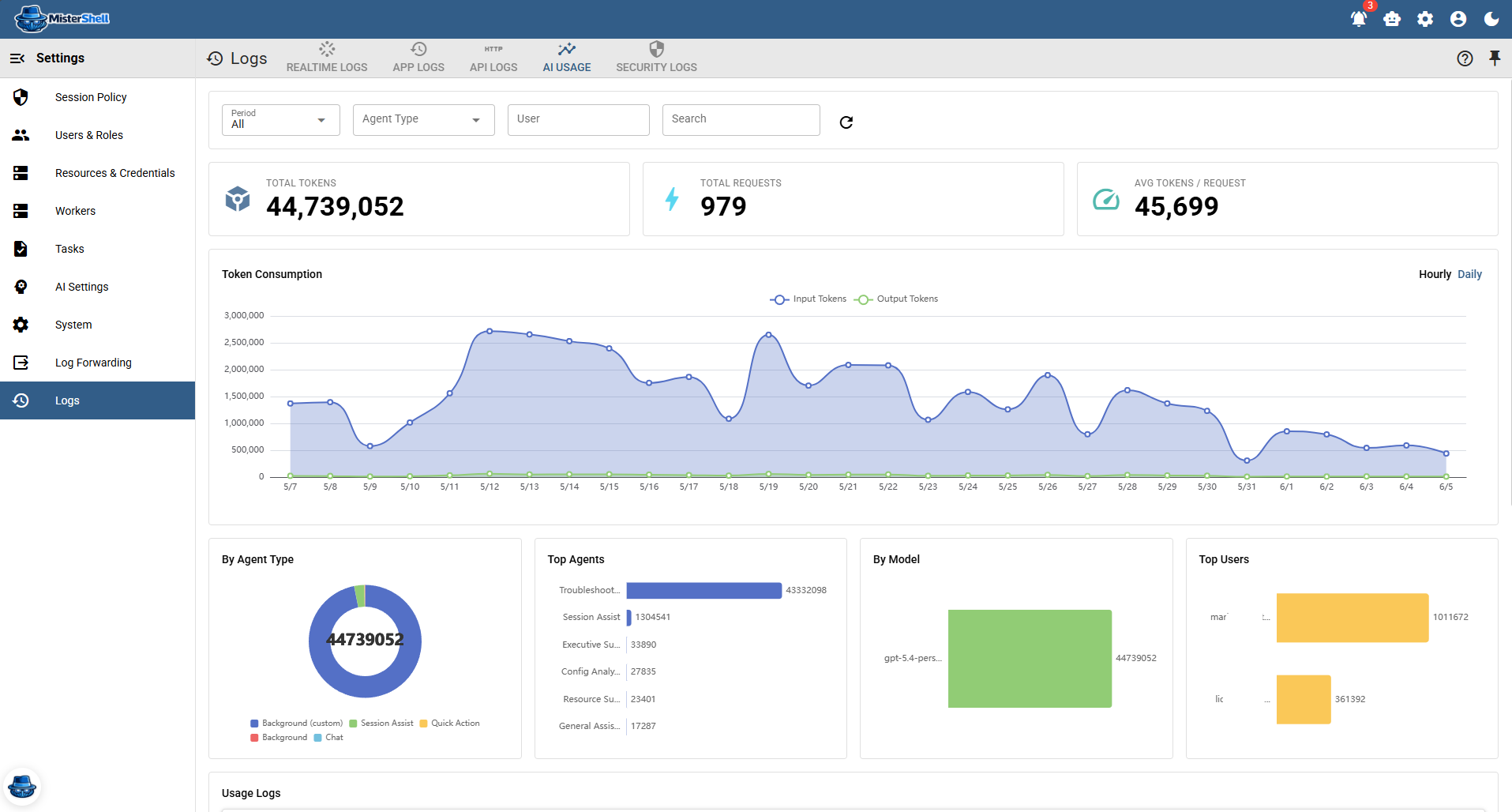
AI agents act through the same tooling as people: interactive assistance runs under the permissions and location scope of the user who invokes it, and background automation agents are constrained by their agent type and per-agent tool restrictions. The set of tools an agent may call is configurable per agent, and the built-in MCP server exposes only typed, permission-checked tools to outside agents. Agents run within budgets for steps, tokens, and time. Nothing is sent to a model provider until an agent is explicitly invoked — and every chat, assist, agent run, model request, and tool call, including calls from external agent platforms, lands in one AI audit trail with who, where from, when, and what came of it, attributed to the user who triggered it or to the playbook that did, and forwardable to your SIEM. External agent platforms can sign in with your own identity provider and act as that user, with exactly that user’s permissions (Pro edition).
Get in Touch
Want a guided demo, or a trial license to evaluate Pro or Enterprise on your own infrastructure? Tell us — we'd love to hear from you.