
Remote access built for network engineers.
Browser SSH across your multi-vendor estate — Cisco IOS / IOS XE / SD-WAN / NX-OS, Arista EOS, Palo Alto PAN-OS and Panorama, Fortinet FortiGate, Infoblox NIOS, and beyond. Configuration tracking, templated push, and closed-loop drift remediation; session recording and replay; outbound-only workers for segmented sites; and AI assistance in every session.
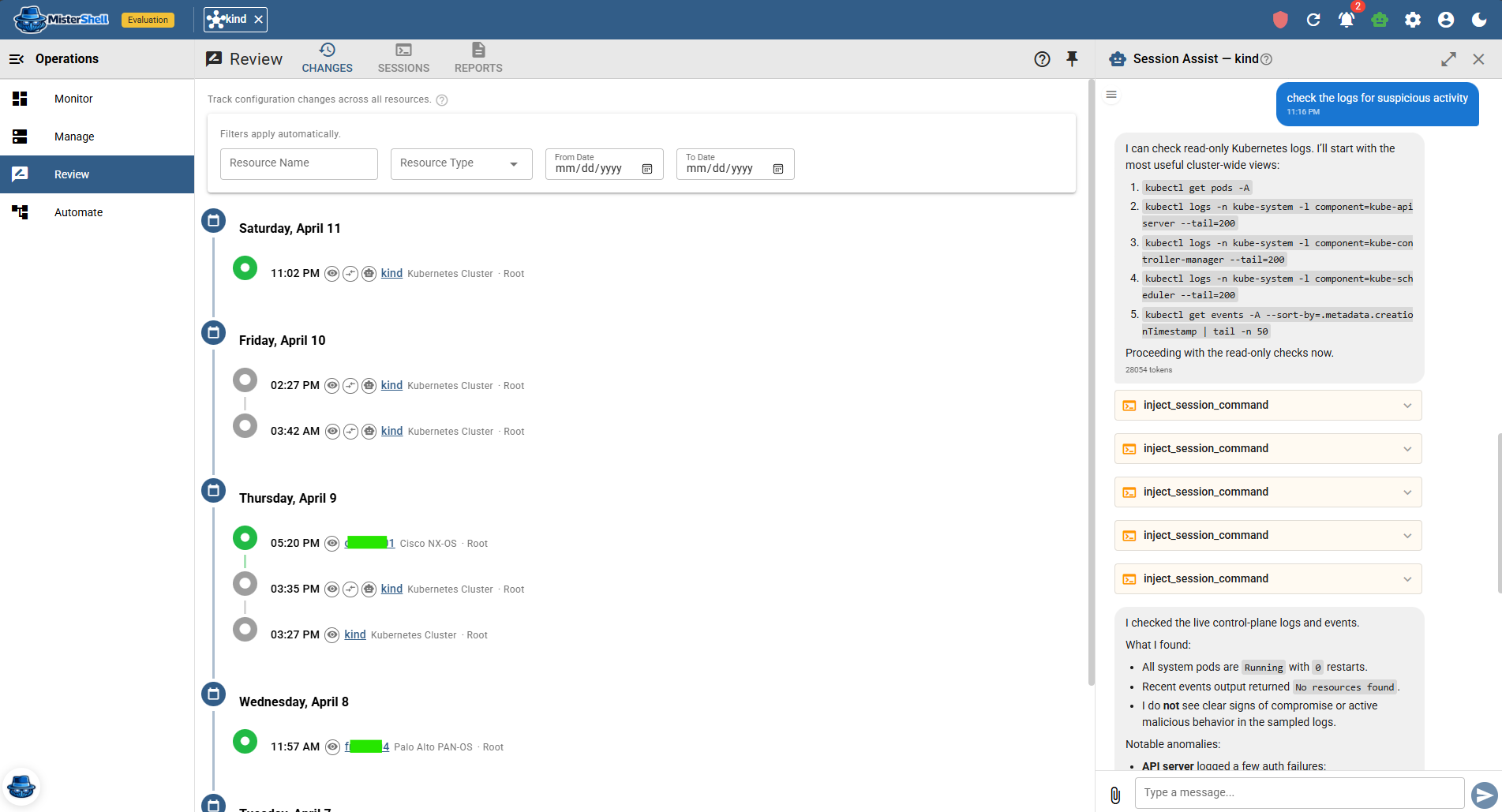
Multi-vendor sprawl, shared access, and an audit gap.
A jump host alone doesn’t govern access
Nobody wants to take an engineer’s terminal away, and they shouldn’t have to. The difficulty is that each client connects straight to the gear with its own keys, so access stays spread across personal tools — and applying one consistent policy, or recording every session the same way, means bolting controls onto each path instead of governing from one. What is missing is not a different client; it is a door they all go through.
Read-only vs read-write isn’t the hard part
Most teams already make that split. It gets hard when access has to combine dimensions — a role scoped to certain locations and resource tags, down to specific commands — and stay consistent across every vendor and session type. Native controls each cover a slice; MisterShell brings all of it into one central policy.
Segmented sites reject inbound connections
Firewall-segmented sites, DMZs, and remote locations can’t accept inbound SSH tunnels without a custom firewall exception security is reluctant to grant. Engineers fall back to on-site console access or one-off VPN holes.
Change tracking is ad hoc at best
Config diffs live in engineers' heads or in version-control repos that drift out of date. Spotting what actually changed on a device means diffing by hand.
One platform that covers the whole estate.
MisterShell puts governed SSH sessions — from the browser or the terminal your engineers already use — configuration change tracking, session recording, and outbound-only worker deployment in one place, so your team operates consistently across your vendors and sites.
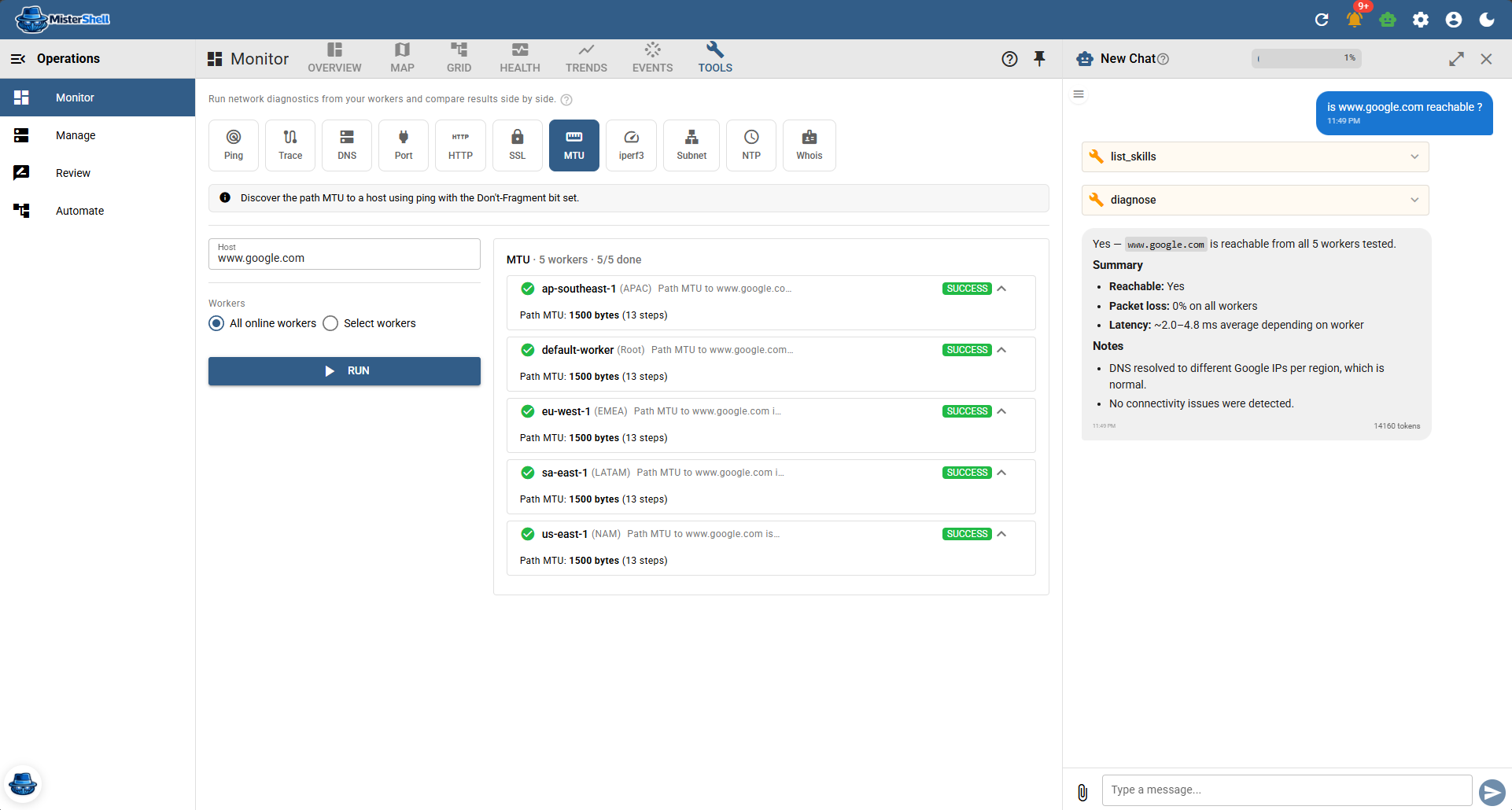
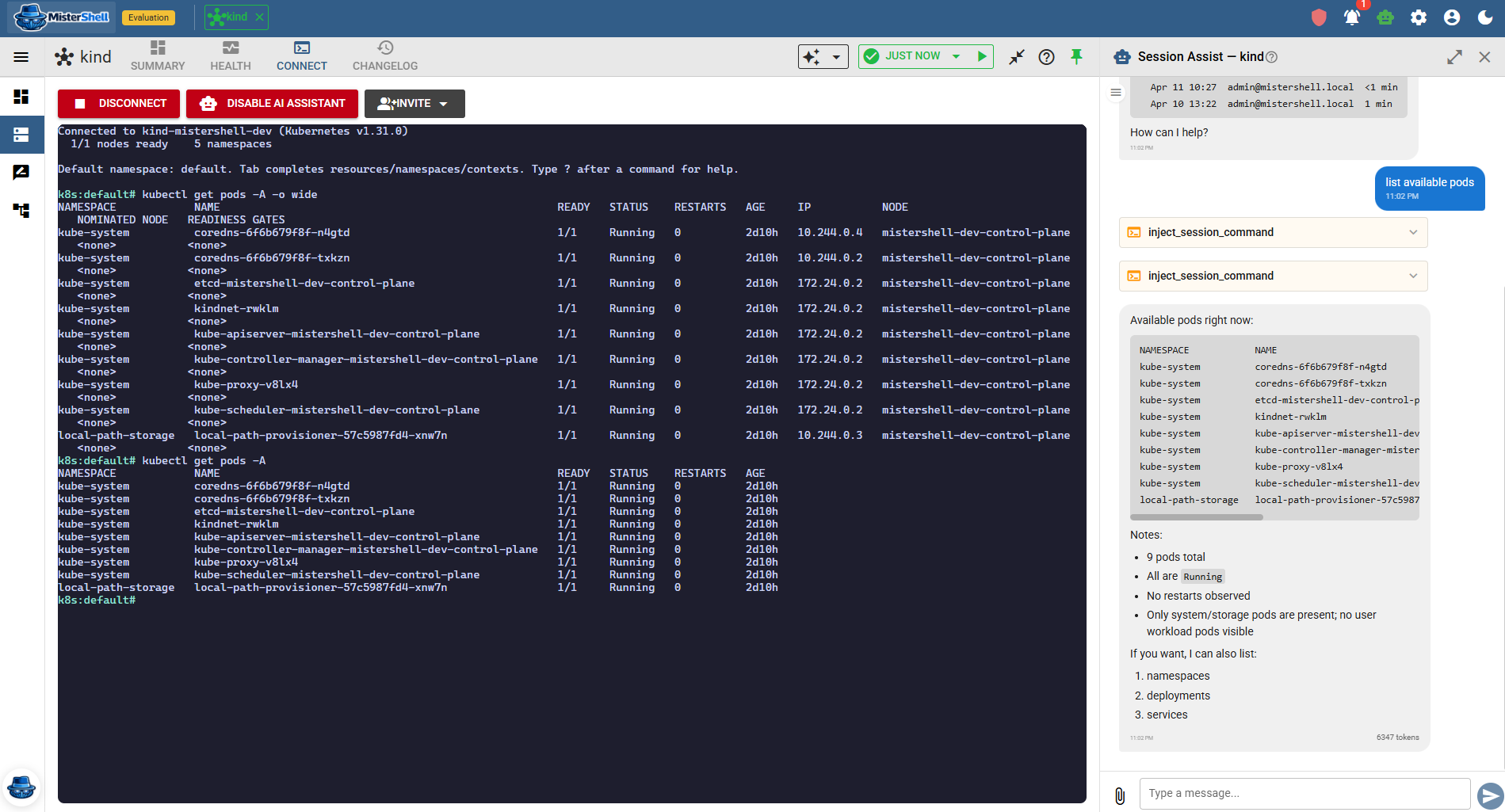
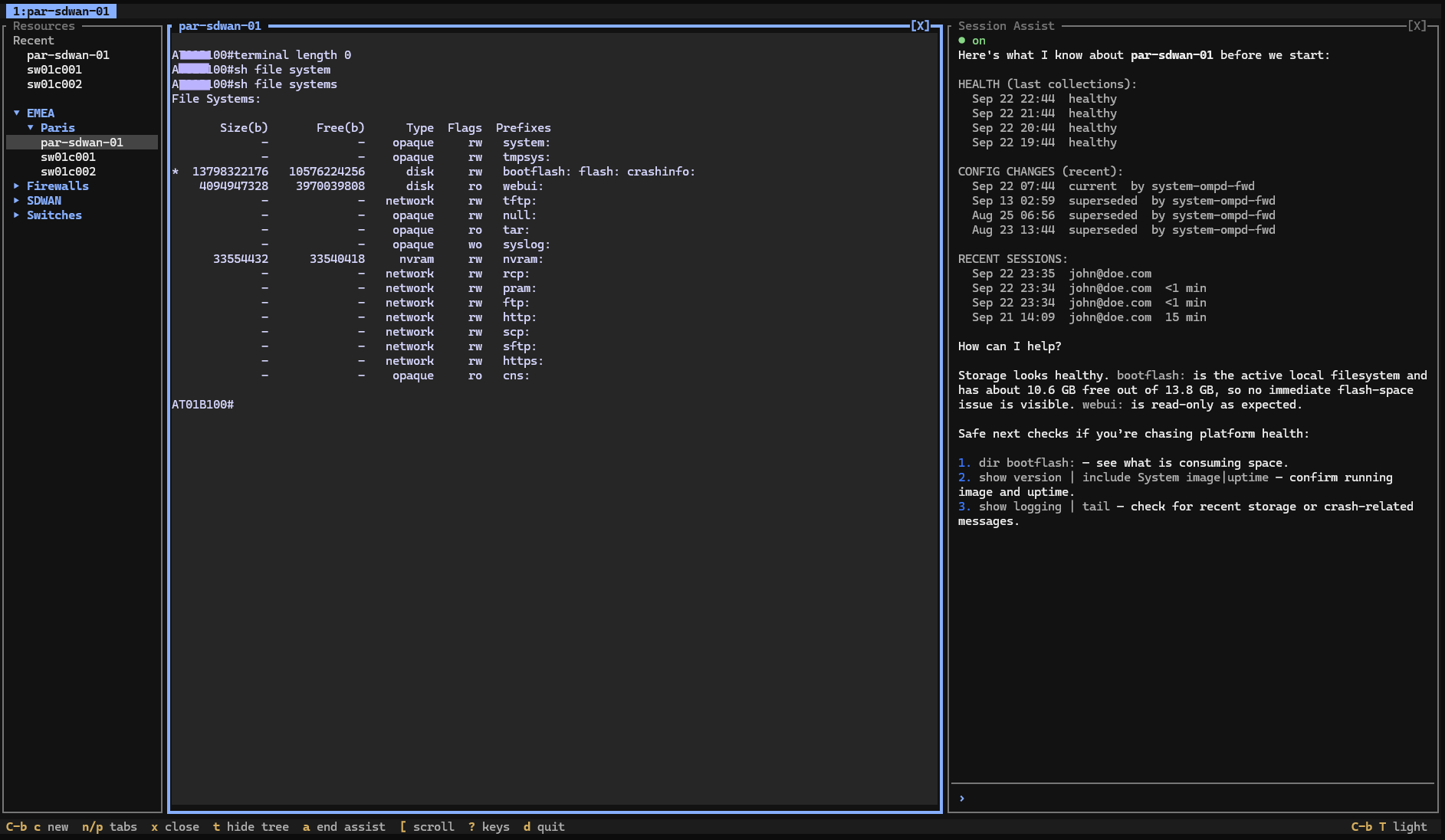
Everything a network engineer needs, already integrated.
Remote workers, enterprise sign-in, high availability, and audit export to your SIEM come with the Pro edition; policy engines, session recording, and automation ship with Enterprise; IDS, syslog collection, and external access are licensed add-ons. See pricing.
Multi-vendor SSH — browser or your own client
Full terminal emulation for any SSH-compatible device. Cisco IOS, IOS XE, IOS XE SD-WAN, NX-OS, Arista EOS, Palo Alto PAN-OS and Panorama, Fortinet FortiGate, Infoblox NIOS, and generic SSH targets all work the same way. Engineers who live in a terminal can point their own SSH client at MisterShell instead — resource tree, tabbed sessions and in-session AI included — and your Ansible playbooks can take the same route, under the same policy and recording. Strict host-key verification is on by default and covers background checks as well as live sessions.
Configuration tracking — and push
MisterShell snapshots device configuration and presents structured diffs with a human-readable changelog — timestamped, searchable, and attributed to the change author whenever one can be identified. And it goes beyond read-only: author configuration as reusable templates and push it to many devices — fill per-device values, preview the exact change, and apply it, with every push recorded on the timeline.
Firmware and file distribution that respects your segmentation
Push an image to a site without giving the device a path to the internet. Object stores mount onto your location tree, so a store sitting close to a region serves the resources at that region and below — and the worker nearest the device streams the bytes, meaning the device never reaches the store and no new egress path is opened. You get the same two-pane browse everywhere: real SFTP where the platform offers it, and on gear that only speaks SCP, the same rename, move, and delete experience driven through the device's own shell. Start the copy, close the tab — it runs as a task on the worker.
Operational facts, queryable across the fleet
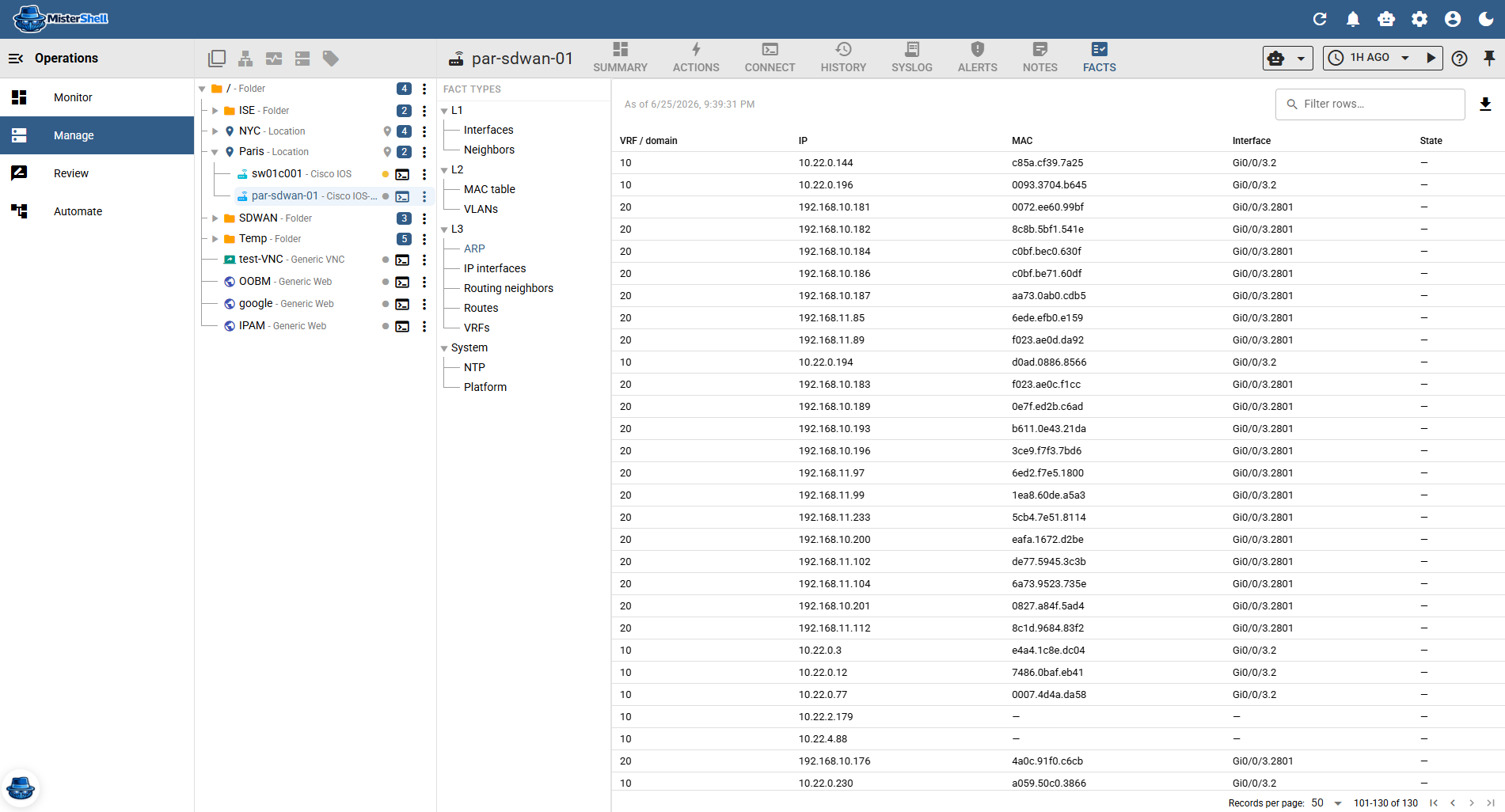
Beyond the config text, MisterShell continuously collects each device's live operational state — networking facts such as interfaces, neighbors, MAC and VLAN tables, ARP, and routes, plus system facts like NTP and platform, with more fact types added over time — into a structured, historized record. Azure subscriptions yield the same network facts — virtual networks, subnets, interfaces, routes — so cloud networking reads in the same vocabulary as your devices. Browse it by category, filter it, export it, or rewind to the state at any past moment. Query it across every site without opening a session: every MAC address at a location and below, or every device with a route to a given prefix.
Operational intent, continuously verified
Fact Policy turns those facts into checks: declare what should hold across the fleet — NTP synchronized, an approved OS version running, an expected uplink route present — and MisterShell verifies each device against its actual collected state on every snapshot. You get a pass/fail compliance view over time, by site or device, with drill-down to the exact check that failed, and an automation event the moment a device drifts out of compliance — which can push a corrective template back to the device, closing the loop.
Closed-loop drift remediation
Put tracking, checks, and push together into a loop: snapshot the device, verify it against your Fact Policy intent, and when it drifts, an automation playbook renders a corrective template and pushes it back — then re-checks. Detect, remediate, and verify configuration drift across the fleet, vendor-agnostic, in the same platform you use to reach the devices.
Session recording and replay
Sessions are recorded and replayable under your Recording Policy, and recordings are immutable operational evidence — deleting a resource, user, or worker never deletes them, and they live in an object store you control. Each recording is SHA-256 hashed at capture, the hash held apart from the recording, and replay verifies it — so you can show it has not been altered since. When a peer asks what changed or a ticket asks for proof of work, you share a replay instead of writing a change log from memory.
Outbound-only workers for segmented sites
Deploy a worker inside your OT network, DMZ, or any segmented zone. It connects outbound over HTTPS — no inbound firewall rules, no VPN exception requests.
AI assistance in-session
The in-session AI assistant surfaces recent health data, configuration changes, and prior sessions as context before you type. Ask it to explain a config section or draft a change — and AI runs under its own, stricter guardrail: a per-resource-type command allowlist, read-only by default and rate-limited.
Live collaboration
Share a live session with a colleague (sessions are truly shared) — all in the same browser session, with in-session chat. For oversight, an admin can observe the live session read-only from Review.
Health monitoring
Per-metric health history with warn and critical thresholds. Trends surface in the same workspace as the session — device status and access in one pane.
Session policy and command control
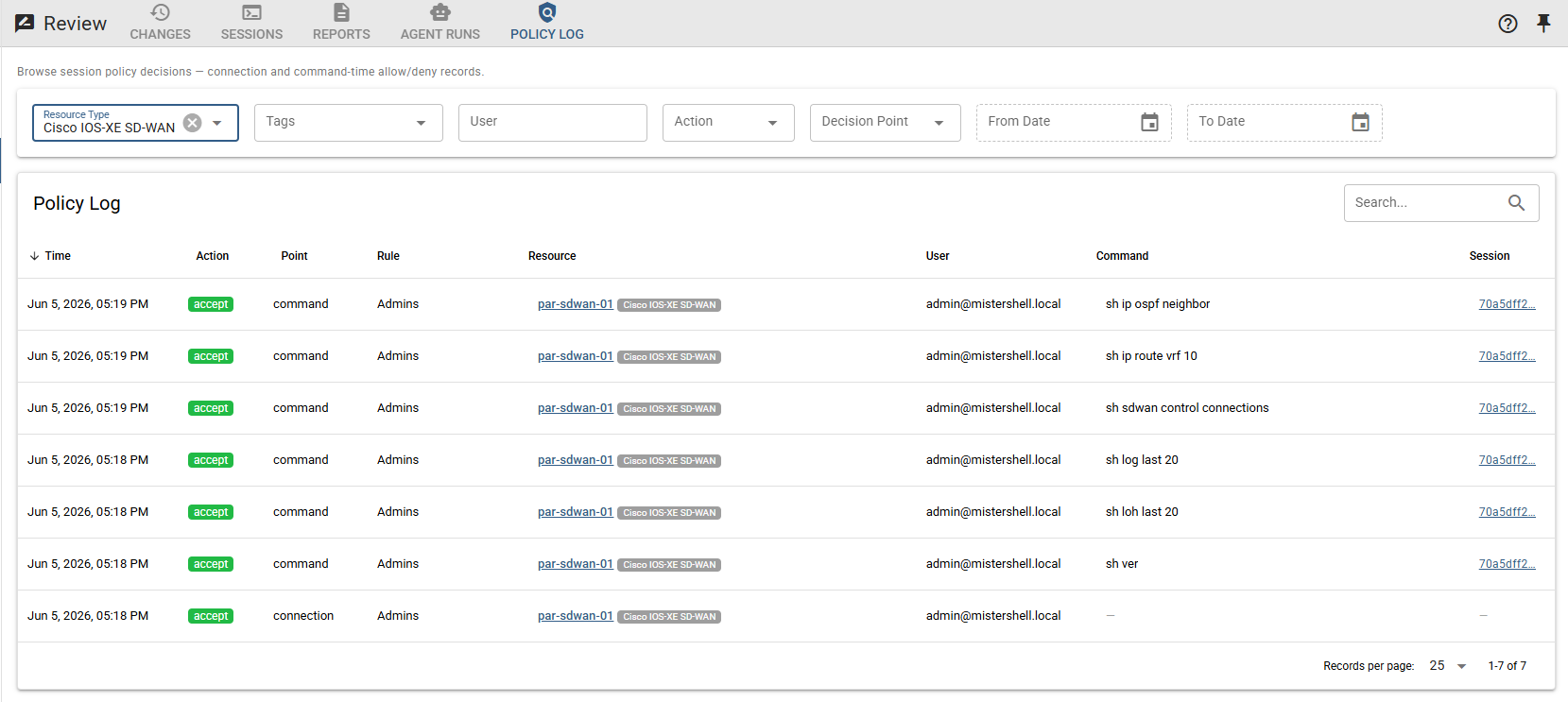
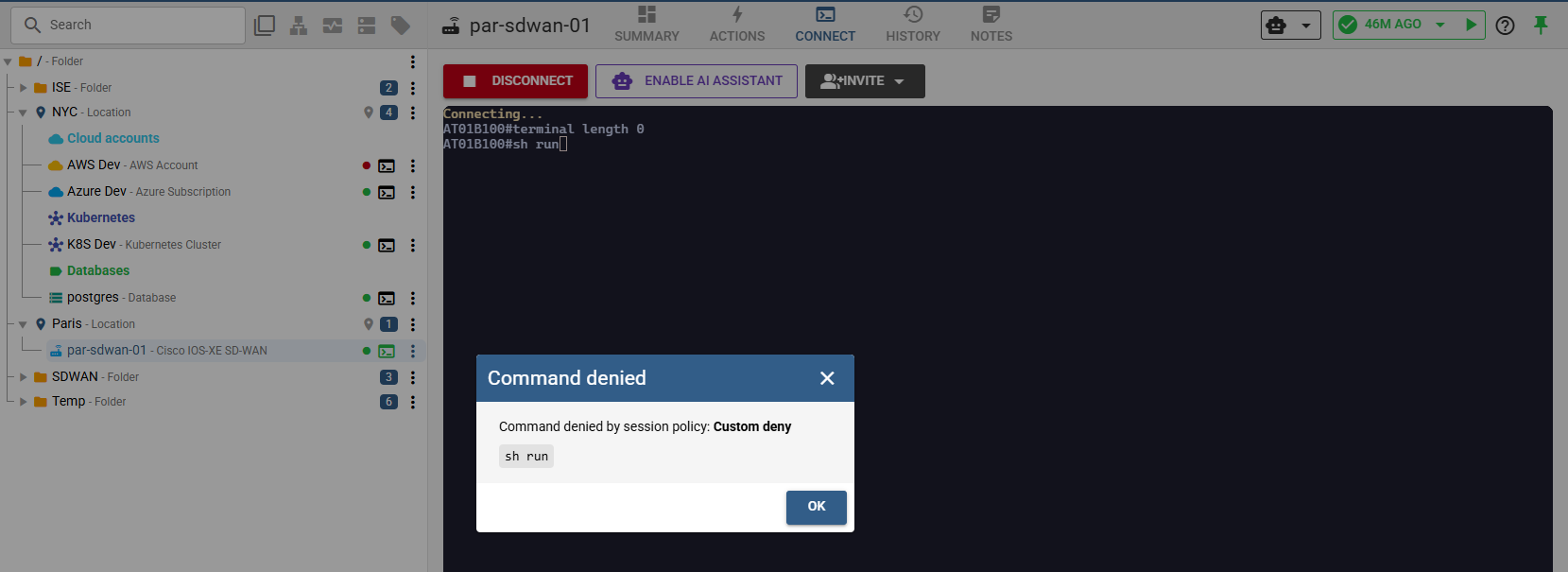
Firewall-style session rules control who can open a session to which device, and per-command ACLs — named allow/deny pattern lists, glob or regex, that you author — control what runs — least privilege in practice. For core devices, a rule can require a human approval before a session opens — a change-window grant that expires on its own, with every request and decision kept as evidence.
Works alongside TACACS+/RADIUS
Keep Cisco ISE, TACACS+, or RADIUS for device authentication. MisterShell layers command-, device-, and location-level session policy, recording, and per-user attribution on top — fine-grained control without re-engineering per-device AAA.
Runs close to every region, highly available
For a global estate, run a core in each region so engineers hit the nearest one for low-latency sessions, and deploy cores active/active so operating the network never depends on a single box. Same policy, recording, and audit everywhere — multi-core high availability comes with the Pro edition.
You’re not the only team on this fabric.
Network sessions share the same platform as servers, security, and automation — so other teams’ work lands in your favor.
Security writes the policy — you just operate
Session policy and per-command ACLs are authored once by the security team and enforced on every device you open. You get least-privilege access without a ticket per box — and every command is already in the audit trail they need.
Your sessions are the SOC’s evidence
Because you work inside recorded, attributed sessions, security gets full audit coverage of network changes with no extra agent. One recording serves your replay and their investigation.
Automation reacts to your changes
When a config drifts or a session ends, platform teams’ event playbooks can fire on their own — diffing the change, alerting, running an AI analysis, or pushing a corrective template — without you wiring anything up.
Get in Touch
Want a guided demo, or a trial license to evaluate Pro or Enterprise on your own infrastructure? Tell us — we'd love to hear from you.