
Every customer, one platform — each behind its own boundary.
Run one MisterShell for your practice and drop an outbound-only worker at each customer site. Each customer gets its own branch of your location tree; roles scoped to that branch decide who can see and touch it. Recorded, attributable sessions become proof of work you can hand back to the customer.
Your practice scales by customer. Your tooling scales by laptop.
A different way in for every customer
One customer hands you a VPN client, another a jump host, a third an RDP gateway. It works — until your engineers juggle a dozen of them, each with its own credentials, quirks and onboarding, and a new hire needs a week just to reach everything.
Access that outlives the engagement
Customer credentials end up in personal password managers and saved sessions on engineers’ laptops. When someone changes teams or leaves, nobody can say for certain which customers they could still reach.
“What did you change on our router?”
Customers are paying for your time and trusting you with their estate. When they ask what happened during last night’s change, a ticket note and an engineer’s memory are a thin answer.
Customers want the door closed
Every inbound firewall rule you ask a customer to open is a security review, a delay, and a question from their auditor. The more security-conscious the customer, the harder it is to get in.
One place your engineers want to work — for every customer.
MisterShell runs on your infrastructure as the single console for your whole practice. At each customer, an outbound-only worker dials home over HTTPS, so the customer opens nothing inbound. Each customer lives in its own branch of your location tree; engineers get roles scoped to the customers they serve, while your leads keep a view across all of them. Your engineers get one familiar workflow for every customer — browser or their own SSH client — and every session in it is attributed, governed by policy and recordable.
Built to run many estates from one seat.
Remote workers, enterprise sign-in, high availability, and audit export to your SIEM come with the Pro edition; policy engines, session recording, and automation ship with Enterprise; IDS, syslog collection, and external access are licensed add-ons. See pricing.
One subtree per customer
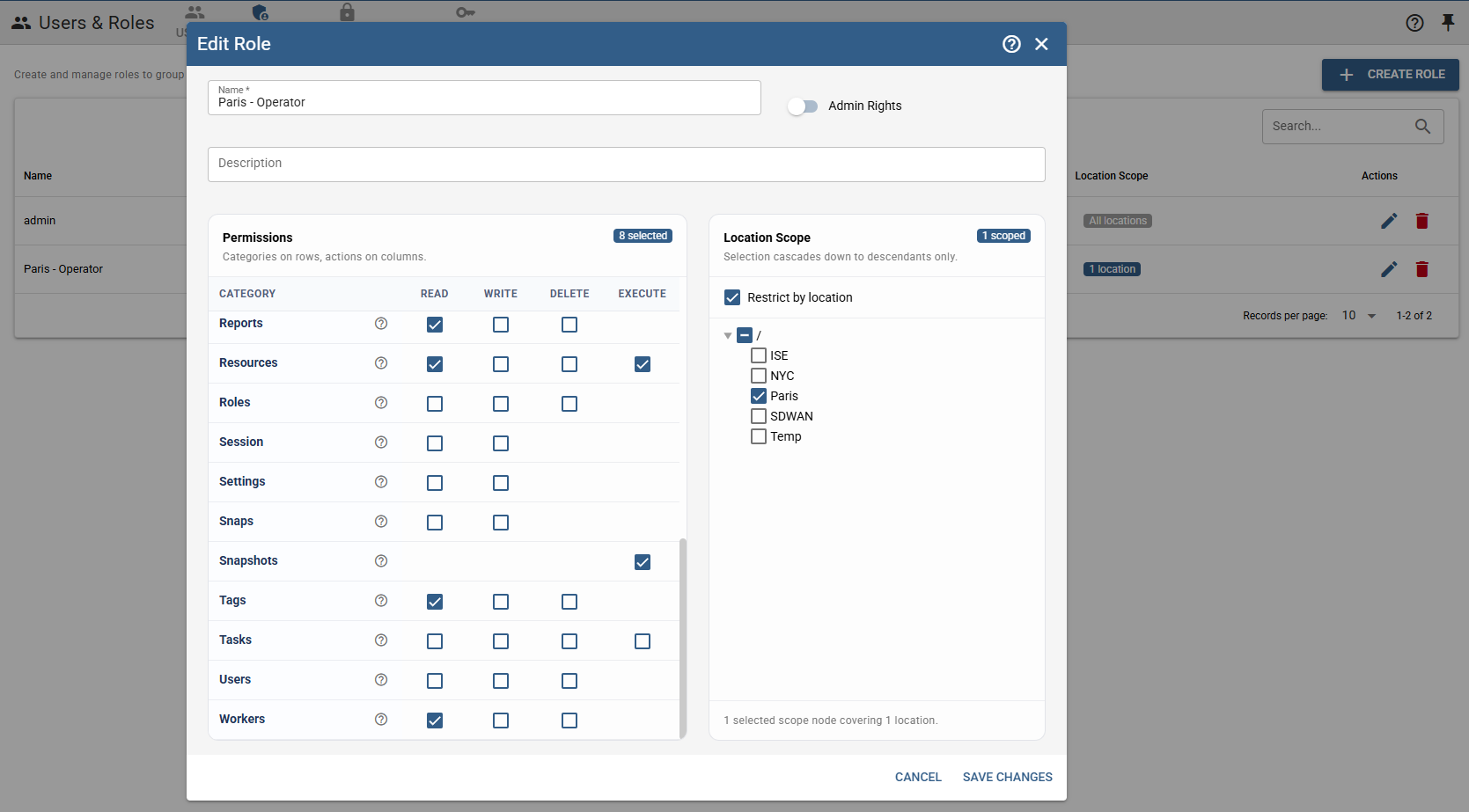
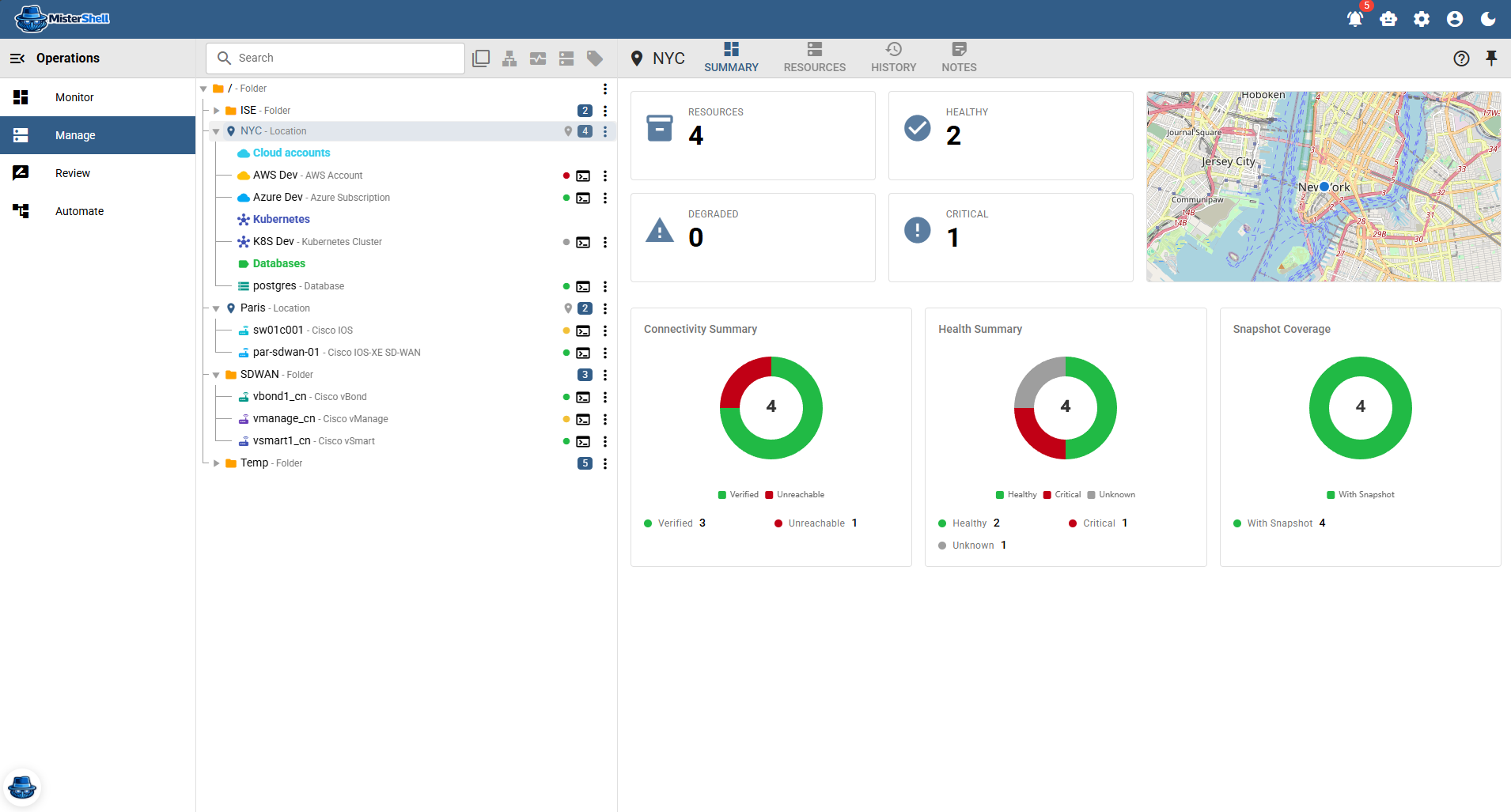
Model each customer as a branch of your location tree — sites and segments underneath. Everything added to that branch later is covered automatically, so onboarding a new customer site never means editing roles.
Location-scoped roles
Scope a role to one customer’s branch and every action it grants stops at that boundary — the engineer sees that customer’s resources and nothing of the others. Combine a scoped role with an unscoped one, such as an auditor view across the whole practice.
Outbound-only workers at each customer
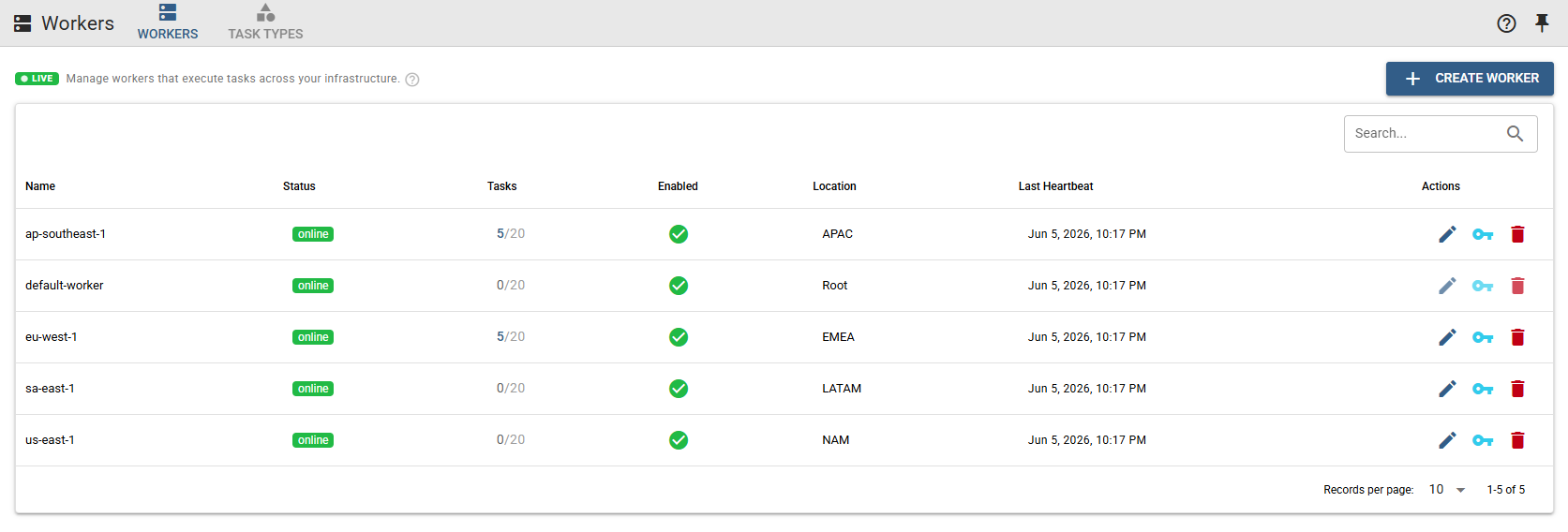
Deploy a worker inside each customer site. It connects out over HTTPS, work for that customer’s resources is routed through the workers in that customer’s branch, and several workers at one site share the load. Remote workers are part of the Pro edition.
Proof of work, per customer
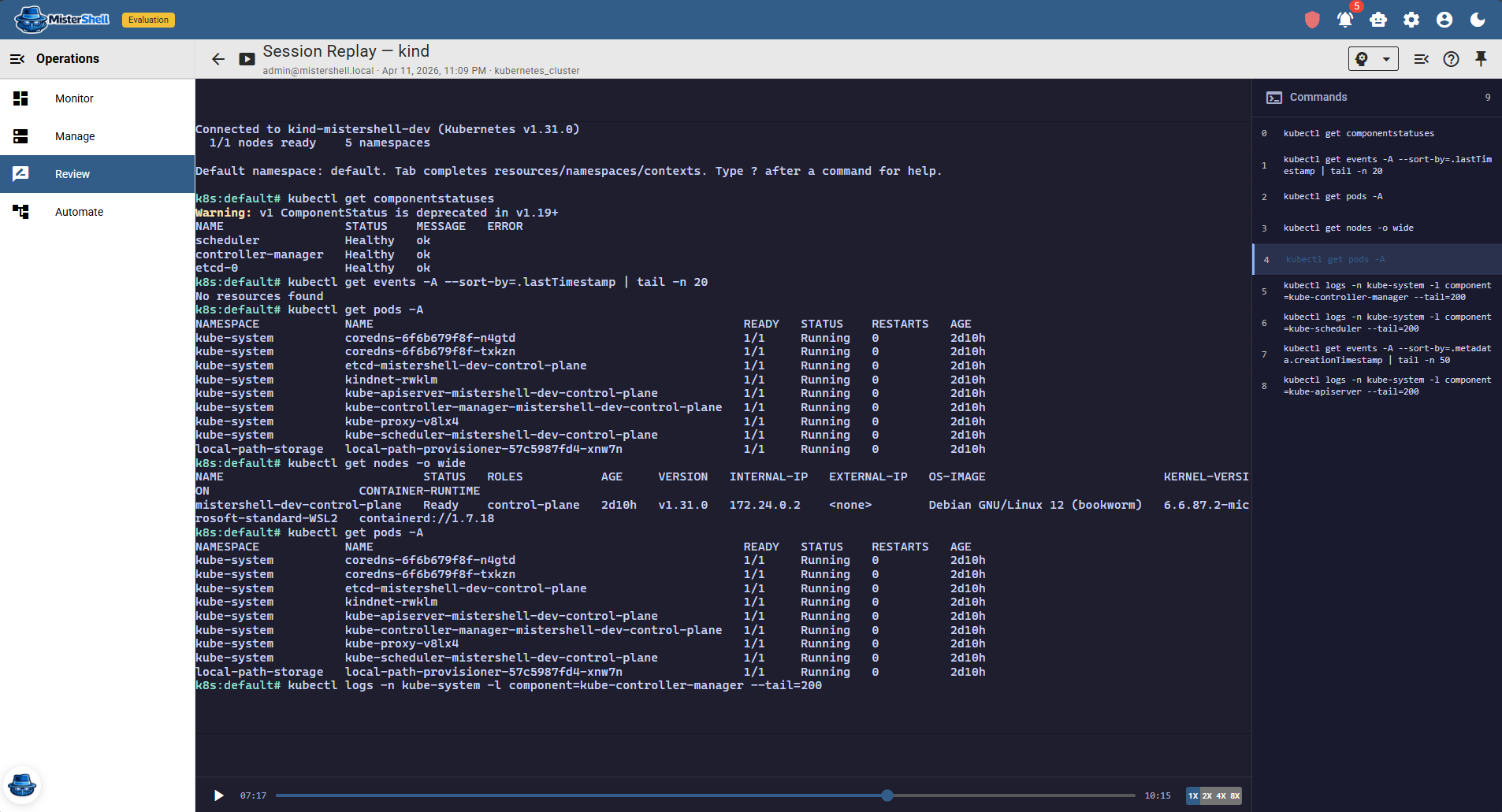
Sessions are attributed to the engineer who ran them and recordable by policy — terminal sessions with a command timeline, RDP and VNC with visual replay. Recording rules can target a customer’s locations and write to a store of your choosing, so each customer’s evidence can live where they need it.
Per-customer reports
Build a report over a customer’s locations and it covers their whole branch — the basis for a monthly service review that shows what you actually did, not just what you billed.
Let the customer look in
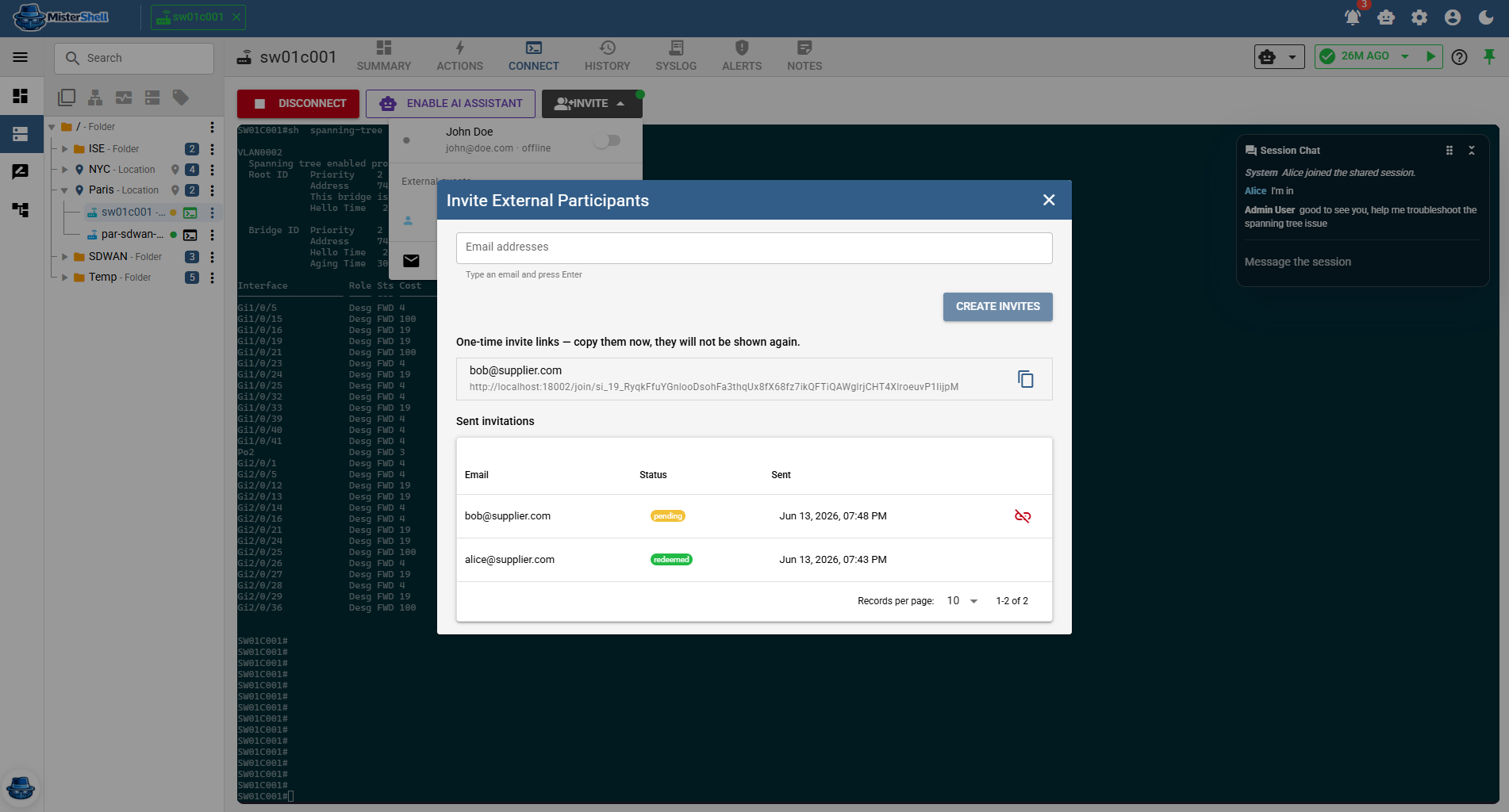
Give the customer’s own team a login scoped to their branch to see their estate and review their sessions — or invite one of their engineers into a live session by one-time link, no account needed, through the Session Proxy add-on.
The same rules for every engineer
Session policy and command ACLs apply by location, role, tag or resource type — so a customer with stricter requirements gets stricter rules, including a human approval before a session opens, without changing how your team works elsewhere.
Self-hosted — your platform, your data
MisterShell runs entirely on infrastructure you control. Customer sessions, credentials and audit events stay within it unless you configure an external endpoint.
Your practice, operated as one.
The same platform serves the engineer on shift, the lead planning capacity, and the customer asking what happened.
Engineers move between customers without friction
One console, one workflow, one set of habits across every customer — instead of a different VPN, jump host and credential store for each.
Leads see the whole practice
Health, sessions and activity across every customer branch in one place — so you can spot the estate that needs attention before its owner calls.
Customers see their own trail
Attributed, recordable sessions and per-customer reports turn “trust us” into evidence — a reason to renew, and an easier security review for the next customer.
Get in Touch
Want a guided demo, or a trial license to evaluate Pro or Enterprise on your own infrastructure? Tell us — we'd love to hear from you.